
Marios Photiou
Table of Contents
TL;DR
Connecting your CRM to your call center software means both systems share data automatically: customer profiles surface before calls connect, every interaction is logged without manual input, and your team always has the full picture.
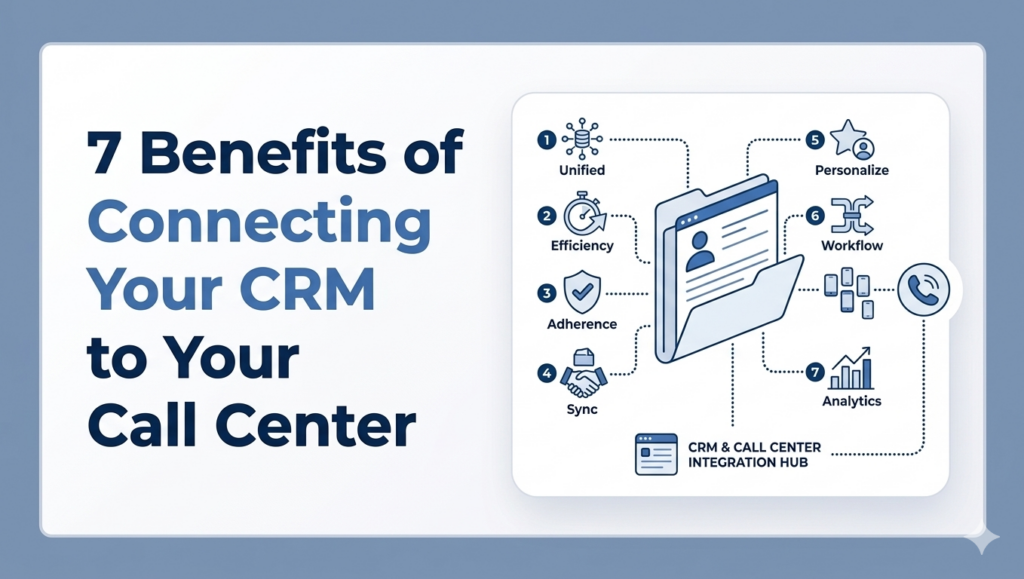
The 7 key benefits:
- Full customer context on every call — agents see the complete history before picking up
- Faster response times — no tab-switching, no repetitive questions, no manual wrap-up notes
- Better customer experience — consistent, personalized interactions that build loyalty
- Higher sales conversion rates — reps close more deals with better context and smarter follow-ups
- Richer data and reporting — every interaction captured and linked to real customer records
- Time-saving automation — call logging, ticket creation, and workflows handled automatically
- Stronger team collaboration — one source of truth for sales, support, and account teams
In this article, we’ll walk through 7 concrete benefits of connecting your contact center software to your CRM, from faster response times and better customer experiences to smarter automation and stronger team collaboration.
What is a CRM and Call Center Integration?
At its core, CRM and call center integration is a live connection between your customer relationship management system and your contact center platform. Instead of two separate tools operating independently, they work together, sharing data automatically, in real time.
This connection typically includes three key capabilities:
- Real-time data syncing means that any update made in one system is immediately reflected in the other. If an agent updates a customer’s status in the CRM during a call, that change is available instantly — to that agent, and to anyone else who might interact with that customer next.
- Automatic caller identification means that when a call comes in, the system recognizes the phone number and pulls up the matching customer record before the agent even picks up.
- Interaction logging means that every call is automatically recorded in the CRM: who called, when, how long the conversation lasted, and what the outcome was. Agents don’t have to type up notes after every interaction; the system handles it.
Here’s an example of a CRM and a Call Center Integration: a customer calls your support line. Before the call connects to an agent, the system identifies the caller and surfaces their full profile — recent purchases, open support tickets, previous interactions, and any notes from the last agent they spoke to. The agent picks up already knowing the context. They can greet the customer by name, skip the basic verification questions, and get straight to solving the problem.
The 7 Benefits of Connecting Your CRM to Your Call Center
Integrating your CRM with your call center software touches almost every part of your operation. Let’s break down each benefit:
1. Full Customer Context on Every Call
Without CRM integration, agents start every call blind. They have to ask basic questions before they can even begin to help, providing a bad experience.
With integration, the full customer profile is already on screen the moment the call connects. Agents can see:
- Previous interactions across all channels
- Past purchases and account history
- Open or recently closed support tickets
- Notes left by other agents
This changes the quality of the conversation entirely. Instead of starting from scratch, agents start from a position of knowledge — they can reference what happened last time, acknowledge a recent issue, or pick up exactly where a previous interaction left off.
Customers feel recognized. Calls become more relevant. Resolutions come faster.
2. Faster Response Times and Shorter Calls
CRM integration directly reduces the time agents spend on non-productive work during every interaction.
When customer data is automatically surfaced at the start of each call, agents don’t need to search through multiple systems or ask the customer to re-explain their situation. When calls are logged automatically, there’s no manual note-taking at the end. When tickets already exist in the CRM, agents update them in real time instead of creating duplicates.
The time savings come from eliminating friction at every stage of the call:
- Before the call: customer context is already loaded
- During the call: agents work within a single interface, no tab-switching
- After the call: interaction is logged automatically, no wrap-up notes needed
The result is a measurable reduction in average handle time — not because agents are rushing, but because they’re not blocked by avoidable inefficiencies.
3. Improved Customer Experience
CRM integration removes these pain points because agents have full context from the start, and customers don’t have to repeat themselves. Because interaction history is preserved across the team, a customer gets continuity even when they reach a different agent than last time.
The experience becomes noticeably smoother:
- Fewer transfers and shorter hold times
- Faster resolution with less back-and-forth
- Routing based on CRM data, so customers reach the right person sooner
- A consistent experience regardless of which agent picks up
That kind of consistency builds trust — and trust is what turns a satisfied customer into a loyal one. For businesses where retention and lifetime value matter, this is one of the most directly impactful benefits of the integration.
4. Higher Conversion Rates for Sales Teams
CRM integration gives sales teams the context they need to have smarter conversations from the first word. Reps can see where each contact sits in the pipeline, what interactions have already taken place, and what the customer has shown interest in.
The impact shows up across the entire sales process:
- Better qualification: reps can prioritize leads based on real data
- More relevant conversations: no repeating offers the customer has already declined
- Faster follow-ups: call outcomes are logged automatically, so next steps are clear and nothing falls through the cracks
- Higher close rates: reps engage at the right moment, with the right message, based on actual customer history
5. Better Data and Reporting
When your call center and CRM are connected, every interaction is automatically recorded and mapped to the right customer record. Nothing relies on manual entry, which means the data is more complete and more accurate.
That data becomes the foundation for smarter decisions across the business:
- Agent performance: see how each rep handles calls, what outcomes they generate, and where coaching is needed
- Call outcomes: understand what types of interactions lead to resolution, escalation, or churn
- Customer patterns: identify which segments call most often, about what, and with what result
- Campaign tracking: measure the real impact of outbound efforts with accurate, linked interaction data
Managers stop relying on incomplete reports or manual spreadsheets. Instead, they have a real-time, reliable picture of what’s happening — and the ability to act on it quickly.
6. Automation That Saves Time and Effort
A significant portion of what agents do after every call has nothing to do with the customer itself. Logging the call, updating the contact record, creating a ticket, and assigning a follow-up task. Across a full team and a full day, they add up to hours of work that could be spent on actual customer interactions.
What tasks does this integration handle automatically:
- Call logging: duration, timestamp, outcome, and recording link are saved to the CRM without any agent input
- Ticket creation and updates: new issues trigger new tickets; existing ones get updated in real time
- Lead assignment: inbound calls or form submissions can be routed and assigned based on CRM rules
- Follow-up workflows: specific call outcomes can trigger automated sequences — an email, a task, a reminder
7. Stronger Team Collaboration
Customer interactions rarely involve just one person.
CRM integration creates a single source of truth that every team works from. When anyone on the team interacts with a customer, that interaction is logged and visible to everyone else. No more asking a colleague what was discussed last week. No more duplicate outreach because two reps didn’t know the other had already called.
The collaboration benefits extend across departments:
- Sales and support alignment: support agents can flag upsell opportunities; sales reps can see if a customer has an open issue before reaching out
- Account management: account managers always know the full history of a customer, not just their own touchpoints
- Onboarding and handoffs: new team members get up to speed instantly because all context is already documented
- Reduced silos: teams stop hoarding information in personal notes or disconnected tools
Common Use Cases of CRM + Call Center Integration
Here are the most common scenarios where the integration delivers the most value.
- Sales teams focused on lead follow-up and qualification. Reps work from enriched contact records, see exactly where each lead sits in the pipeline, and log every call automatically. Follow-up sequences trigger based on call outcomes, so nothing gets forgotten and no lead goes cold by accident.
- Customer support operations. Agents handle inbound calls with full context already on screen — previous tickets, account status, interaction history. Issues get resolved faster, escalations are better documented, and customers stop having to repeat themselves every time they call back.
- Account management. Account managers stay on top of every customer touchpoint across the team. Before a check-in call, they can review everything that’s happened since the last conversation — support tickets, billing changes, product usage — without having to ask anyone internally.
- Outbound campaigns and call tracking. Marketing and sales teams run outbound campaigns with calls tied directly to CRM records. Every outcome is tracked, every response is logged, and campaign performance is measured based on real interaction data rather than estimates.
What to Look for in a CRM Call Center Integration
Not all integrations are built the same. Before committing to a solution, these are the capabilities worth evaluating carefully.
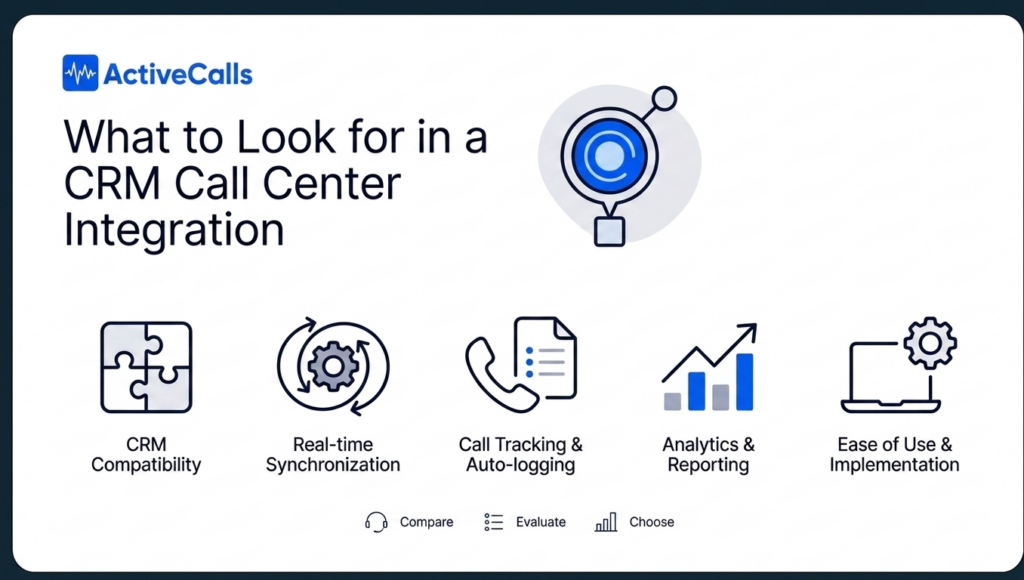
CRM compatibility. The integration needs to work natively with the CRM your team already uses. A generic connector that requires heavy custom development is a red flag; look for pre-built integrations with the tools you actually rely on.
Real-time synchronization. Data that syncs on a delay defeats much of the purpose. When a call comes in, the customer profile needs to be there instantly. When a call ends, the log needs to appear in the CRM right away.
Call tracking and automatic logging. Every interaction should be captured without any manual input from agents. Look for solutions that log call duration, outcome, recording links, and timestamps automatically and map them to the correct contact record.
Analytics and reporting capabilities. The integration should generate data you can actually use. At minimum, you want visibility into call volume, agent performance, call outcomes, and how interactions connect to pipeline or support metrics.
Ease of use and implementation. The best integration is one that your team actually adopts. Look for solutions with a clean agent experience and a manageable implementation process.
Why Choose ActiveCalls as Your Contact Center Platform?
ActiveCalls is a cloud-based call center solution designed for customer-facing teams that need reliability, flexibility, and seamless integration with their existing tech stack.
It works with the tools you already use. ActiveCalls integrates effortlessly with the platforms your sales and support teams rely on every day. No need to rebuild your stack — the connection happens on top of what’s already working.
Real-time analytics built in. ActiveCalls gives you call detail records, performance monitoring, and live analytics out of the box. When paired with your CRM, that data becomes even more powerful — linking call outcomes directly to customer records and pipeline activity. Check more features here.
Intelligent call management from day one. With IVR, call queues, smart routing, and automatic call screening, ActiveCalls ensures every inbound call reaches the right agent with the right context.
Supervisor tools that actually help. Real-time call monitoring, live coaching, and performance analytics give managers the visibility they need to improve team performance — and when that data feeds into your CRM, the picture becomes complete.
24/7 support. ActiveCalls is built for teams that can’t afford downtime, with round-the-clock global support when you need it.
What is CRM call center integration?
CRM call center integration is a live connection between your contact center software and your customer relationship management platform. It allows both systems to share data automatically — syncing customer records, logging interactions, identifying callers, and triggering workflows — without any manual input from agents.
Can any CRM be integrated with a call center?
Most major CRMs — including Salesforce, HubSpot, Zoho, Microsoft Dynamics, and Zendesk — support integration with contact center platforms, either through native connectors or third-party solutions. The quality and depth of the integration varies depending on the platforms involved, so it’s worth confirming compatibility and feature coverage before choosing a solution.
Does CRM integration improve sales performance?
Yes, meaningfully. When sales reps have full context on every contact — pipeline stage, interaction history, previous conversations — they can have more relevant conversations, follow up at the right moment, and close deals more consistently. Automatic call logging also ensures that follow-up tasks are never missed and that managers have accurate data to coach from.







