
Types of Autodialer Software
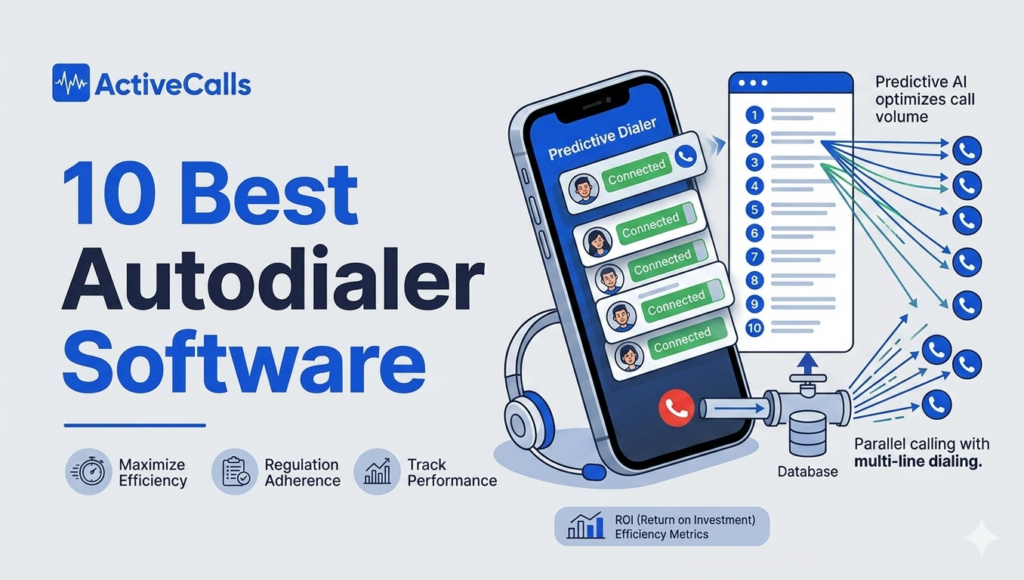
Autodialer software comes in several different types, and choosing the right one depends on how your team works. The main types are predictive dialers, power dialers, preview dialers, and progressive dialers. Each one is designed for a different balance of speed, control, and personalization, so understanding the differences is critical before comparing platforms.
Predictive Dialer
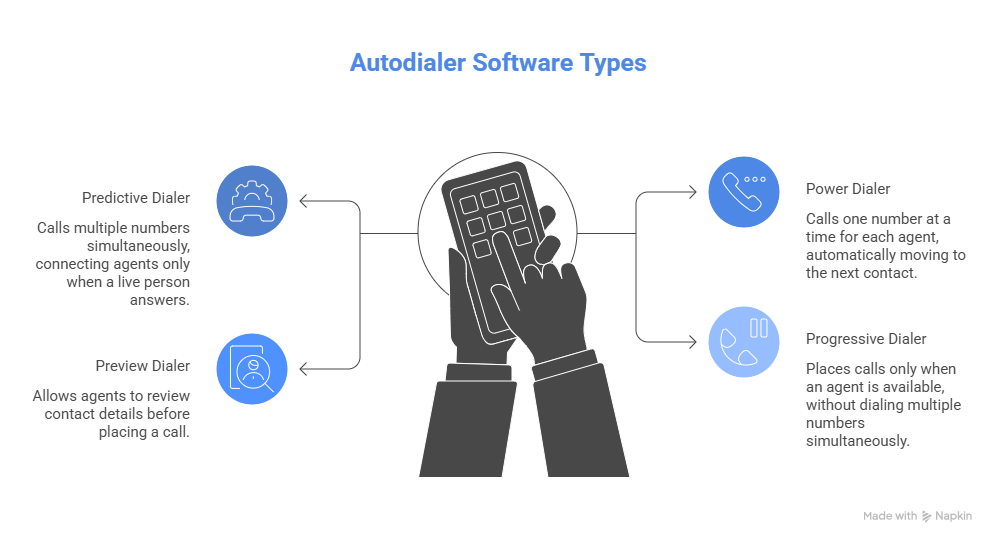
A predictive dialer automatically calls multiple numbers simultaneously and connects agents only when a live person answers. It uses algorithms to predict agent availability and maximize talk time.
This type of dialer is best for high-volume outbound call centers, such as collections teams, telemarketing operations, or large-scale campaigns where efficiency and call volume are the top priorities. The tradeoff is that agents have less control over each interaction, and the experience can feel less personalized.
Power Dialer
A power dialer calls one number at a time for each agent, automatically moving to the next contact after a call ends. It removes manual dialing but keeps the pacing controlled and consistent.
This is typically the best fit for sales teams and outbound reps who need to balance efficiency with quality conversations. Power dialers help increase call volume without overwhelming agents or sacrificing too much context, making them one of the most widely used dialing modes for SMB and mid-market teams.
Preview Dialer
A preview dialer allows agents to review contact details, notes, and context before the call is placed. The agent decides when to start the call rather than having it triggered automatically.
This approach is best for personalized outreach, account-based sales, or situations where context matters more than speed. It is commonly used in B2B sales, high-value deals, or industries where conversations require more preparation.
Progressive Dialer
A progressive dialer automatically places calls only when an agent is available, but unlike predictive dialers, it does not dial multiple numbers simultaneously. This creates a balance between automation and control.
Progressive dialing is a good fit for teams that want to increase efficiency without the aggressiveness of predictive dialing. It is often used by teams that handle both outbound and inbound workflows or want more predictable pacing.
The Best Autodialer Software Platforms
Below are the best autodialer software based on their features, customer support, and reviews:
- ActiveCalls
- Five9
- Genesys Cloud
- NICE CXone
- Talkdesk
- Dialpad
- Aircall
- CloudTalk
- Squaretalk
- Orum
ActiveCalls
ActiveCalls is a cloud-based call center platform that includes a full set of autodialer capabilities designed for both sales teams and outbound call centers. It supports multiple dialing modes within a single system, making it a flexible option for teams that need to balance efficiency, control, and scalability across different types of outbound campaigns.
Unlike standalone sales dialers or complex enterprise platforms, ActiveCalls is positioned as a practical middle ground. It combines core call center functionality with outbound dialing tools, which makes it a strong fit for teams that want more than basic click-to-call but do not need the full complexity of enterprise contact center software.
Key Features
- Power, predictive, progressive, and preview dialing modes in one platform
- Click-to-call and automated dialing for outbound efficiency
- Call routing and queue management for blended workflows
- CRM integration support for syncing contacts and call activity
- Automation tools for managing campaigns, call lists, and follow-ups
- Real-time analytics, call detail records, and performance tracking
- Call recording and supervisor tools for monitoring and coaching
Best For
ActiveCalls is best for sales teams, outbound call centers, and customer-facing operations that need flexible dialing options without unnecessary complexity. It works great for teams that handle both inbound and outbound workflows or need to scale outbound campaigns over time.
Pricing
ActiveCalls uses a contact-based pricing model depending on team size, usage, and feature requirements. This allows for more flexibility in tailoring the platform to different types of operations, but requires a conversation with the vendor to get a full quote.
It has three pricing tiers: The Basic plan starts at $29 per user per month, the Standard plan at $59 per user per month, and the Enterprise plan at $119 per user per month.
Pros and Cons
| Pros | Cons |
|---|---|
| Supports multiple dialing modes in one platform | Less publicly detailed information on integrations compared to some competitors |
| Good balance between functionality and usability | |
| Suitable for both SMB and larger teams | |
| Includes broader call center features beyond dialing | |
| Flexible for different outbound workflows |
CRM Integrations
ActiveCalls supports integration with most CRMs on the market. While its public-facing materials highlight integration capability, buyers should confirm specific CRM compatibility and workflow requirements during the evaluation process.
Reviews
The performance monitoring tools from ActiveCalls have provided insights we didn’t even know we needed. Tweaking our scripts and training agents based on data has led to measurable improvements in customer satisfaction. Priya M. – Customer Support Lead
We switched to ActiveCalls after struggling with outdated phone systems, and the difference is night and day. The uptime is impeccable, and the crystal-clear call quality gives us confidence in every conversation. Rachek K. – Head Of Sales
Five9
Five9 is a cloud contact center platform with strong outbound dialing capabilities, designed primarily for mid-market and enterprise teams. Its autodialer functionality is part of a broader contact center solution, which includes inbound support, omnichannel engagement, workforce management, and AI-driven automation.

Key Features
- Predictive, power, and progressive dialing modes for outbound campaigns
- Advanced campaign management and call list automation
- Omnichannel support across voice and digital channels
- Real-time analytics and reporting dashboards
- Workforce management and quality monitoring tools
- AI-powered features such as call transcription and agent assistance
- CRM integrations and API support for workflow customization
Best For
Five9 is best for mid-market and enterprise teams running high-volume outbound campaigns, such as collections, telemarketing, or large-scale sales operations. It is especially well suited for organizations that need predictive dialing, advanced reporting, and compliance controls.
Pricing
Five9 uses a mix of plan-based and quote-based pricing depending on the features, channels, and level of customization required. While some entry-level pricing is published, most implementations require a tailored quote based on the scope of the deployment.
Pros and Cons
| Pros | Cons |
|---|---|
| Strong predictive dialing capabilities for high-volume outbound campaigns | More complex than many SMB-focused autodialers |
| Scales well for large teams and enterprise environments | Pricing can increase with add-ons and advanced features |
| Includes advanced analytics, automation, and workforce tools | May be more platform than needed for simple outbound workflows |
| Broad integration and customization options | |
| Combines outbound dialing with full contact center capabilities |
CRM Integrations
Five9 offers CRM integrations as part of its platform, supporting connections between customer data, call activity, and workflows across systems. Its API and integration capabilities make it a strong option for organizations that need deeper customization and system connectivity.
Reviews
I enjoy deep dives into data and telemetry, so reporting is one of my favorite features. It’s robust and customizable. I appreciate the skill-based routing and the ability to prioritize queues either by record or by skill set routing. G2 Review
The software is easy to use from the reps end, but one critique is their Java based desktop app for the admin side. Trustpilot Review
Genesys Cloud
Genesys Cloud is a cloud contact center platform with advanced outbound dialing capabilities built into a broader customer experience system. It is designed for organizations that need more than just an autodialer, offering tools for omnichannel engagement, workforce management, analytics, and AI-driven customer journeys.

Key Features
- Predictive, progressive, and outbound campaign dialing capabilities
- Advanced campaign management and contact list handling
- Omnichannel engagement across voice and digital channels
- AI-powered routing, analytics, and customer journey orchestration
- Workforce management tools including scheduling and forecasting
- Reporting dashboards and interaction analytics
- Open APIs and developer tools for customization and integrations
Best For
Genesys Cloud is best for enterprise and large-scale contact centers that need outbound dialing as part of a broader customer experience platform. It is particularly well suited for organizations that require advanced automation, workforce management, and omnichannel capabilities.
Pricing
Genesys Cloud uses a plan-based pricing model with multiple tiers depending on features and channels. Pricing is publicly listed at a high level, but total cost depends on the selected plan, usage, and additional capabilities such as AI and workforce tools.
Pros and Cons
| Pros | Cons |
|---|---|
| Strong enterprise-grade outbound dialing capabilities | More complex than most SMB-focused autodialer tools |
| Advanced analytics, automation, and AI features | Higher pricing compared to simpler dialer solutions |
| Scales well for large teams and complex operations | Implementation can require more time and resources |
| Broad customization and integration options | May be excessive for teams focused only on outbound dialing |
| Combines dialing with full contact center functionality |
CRM Integrations
Genesys Cloud offers strong integration capabilities through APIs and prebuilt connectors, including support for major CRM platforms. It is well suited for organizations that need deep integration between outbound dialing, customer data, and broader service workflows.
Reviews
Timeline of the project si half the usual timeline from other vendors. Easy to use and intuitive for users. The payback, once implemented, as a multi-channel tool is awesome.. Capterra Review
What I like most about Genesys Cloud CX is its flexibility and robustness as a truly cloud-native, API-first platform. G2 Review
NICE CXone
NICE CXone is an enterprise-grade cloud contact center platform that includes advanced autodialer capabilities as part of a broader outbound and customer engagement solution. Its positioning focuses on AI-driven automation, compliance, analytics, and large-scale outbound operations, making it one of the more robust options for organizations running complex dialing campaigns.
Key Features
- Predictive and progressive dialing for high-volume outbound campaigns
- Proactive outbound engagement tools with built-in compliance controls
- Advanced campaign management and call list automation
- AI-powered analytics, interaction analytics, and performance tracking
- Workforce management, quality assurance, and agent monitoring tools
- Omnichannel capabilities across voice and digital channels
- Integration marketplace, APIs, and developer tools
Best For
NICE CXone is best for large organizations and enterprise contact centers that need advanced outbound dialing combined with strong compliance, analytics, and operational control. It is particularly well suited for industries such as finance, healthcare, and large-scale customer service operations.
Pricing
NICE CXone uses a quote-based pricing model, with packages tailored to the specific needs of each organization. Pricing depends on the features, channels, AI capabilities, and level of customization required.
Pros and Cons
| Pros | Cons |
|---|---|
| Strong predictive dialing and outbound automation capabilities | Pricing is not transparent and requires vendor engagement |
| Built-in compliance features for regulated environments | More complex than most SMB-focused autodialer tools |
| Advanced analytics and reporting for large teams | Implementation can be time-consuming |
| Scales well for enterprise-level operations | May be excessive for teams focused only on outbound sales |
| Includes workforce management and QA tools |
CRM Integrations
NICE CXone offers a wide range of integrations through its marketplace and APIs, allowing organizations to connect dialing workflows with CRM systems and other business tools. It is well suited for companies that need deep integration and customization across their tech stack.
Reviews
Easy to follow and customize the Dashboard. I enjoy this feature so that I can keep tabs on what calls are coming in as well as what agents are doing. G2 Review
Good experience, everyone we’ve worked with has been helpful. It’s the knowledge base that seems to cause confusion and/or new product features that don’t work as expected. Software Advice Review
Talkdesk
Talkdesk is a cloud contact center platform that includes advanced autodialer capabilities as part of its outbound engagement and customer experience solution. It is positioned as an AI-powered platform designed to help teams automate workflows, improve agent productivity, and manage both inbound and outbound operations from a single system.
Key Features
- Predictive and power dialing for outbound campaigns
- Campaign management tools and automated call workflows
- AI-powered automation and agent assistance
- Real-time dashboards and reporting for performance tracking
- Call monitoring and quality management tools
- Omnichannel capabilities across voice and digital channels
- No-code workflow builder for automation and customization
Best For
Talkdesk is best for mid-market and enterprise teams that need outbound dialing combined with broader contact center functionality. It is especially well suited for organizations that want automation, scalability, and AI-driven workflows alongside their dialing capabilities.
Pricing
Talkdesk provides starting pricing publicly, with plans beginning at a base monthly rate per user. However, full pricing depends on the selected edition, features, and level of customization, so most teams will need to request a quote to understand total cost.
Pros and Cons
| Pros | Cons |
|---|---|
| Strong outbound dialing combined with AI and automation | Full pricing structure is not fully transparent |
| Supports both predictive and power dialing modes | More complex than standalone autodialer tools |
| Good fit for scaling teams and larger operations | May be more than needed for small sales teams |
| No-code tools improve flexibility for workflow design | |
| Combines dialing with broader contact center capabilities |
CRM Integrations
Talkdesk offers a strong integration ecosystem, including connections with major CRM platforms and other business tools. This makes it a good option for teams that need dialing workflows tightly connected to customer data and service operations.
Reviews
Talkdesk has been useful in handling communication in a more structured way, especially when there are multiple interactions happening during the day. G2 Review
Talkdesk is fully cloud native and all features are built natively into the product, so UI/UX is much nicer and the price model is simpler and a little less expensive. Reddit Review
Dialpad
Dialpad offers autodialer functionality through its broader AI-powered communications platform, primarily within Dialpad Sell for outbound sales and Dialpad Support for contact center operations. Its positioning focuses on real-time AI, call intelligence, and coaching, making it a strong option for teams that want dialing combined with insights and performance improvement tools.
Key Features
- Power dialing and outbound calling tools for sales teams
- Real-time AI transcription, sentiment analysis, and call summaries
- Live coaching and agent assistance during calls
- CRM integrations with platforms like Salesforce and HubSpot
- Analytics and reporting on call activity and performance
- Cloud-based platform that combines communications, sales, and support tools
Best For
Dialpad is best for sales teams and outbound-focused organizations that want to combine dialing with AI-driven insights and coaching. It is particularly well suited for SDR teams, account executives, and revenue teams that prioritize conversation quality alongside efficiency.
Pricing
Dialpad provides public pricing for its plans, with different tiers depending on features and usage. Contact center and advanced outbound capabilities may require higher-tier plans or custom pricing depending on the organization’s needs.
Pros and Cons
| Pros | Cons |
|---|---|
| Strong AI capabilities for coaching and call intelligence | Limited predictive dialing compared to enterprise platforms |
| Easy to use and deploy for sales teams | Not as focused on high-volume outbound call center operations |
| Public pricing improves transparency | Advanced features may require higher-tier plans |
| Good integration with CRM and business tools | |
| Combines dialing with broader communication tools |
CRM Integrations
Dialpad offers strong CRM integration capabilities, including connections with Salesforce, HubSpot, and other business tools. This allows teams to sync call activity, track interactions, and use AI insights within their existing workflows.
Reviews
What I like most about Dialpad Support is how responsive and knowledgeable the team is. Whenever I reach out with a question or issue, they get back quickly with clear, helpful guidance. G2 Review
I would give Dialpad a 9 out of 10 for their mobile apps. fairly intuitive, easy to use, allows most functions and features, Texting works well, call quality is not good on the app. Reddit Review
Aircall
Aircall is a cloud-based phone system with built-in autodialer capabilities designed mostly for sales and support teams. It focuses on ease of use, fast setup, and strong integrations, making it one of the more accessible options for teams that want outbound calling without the complexity of a full contact center platform.
Key Features
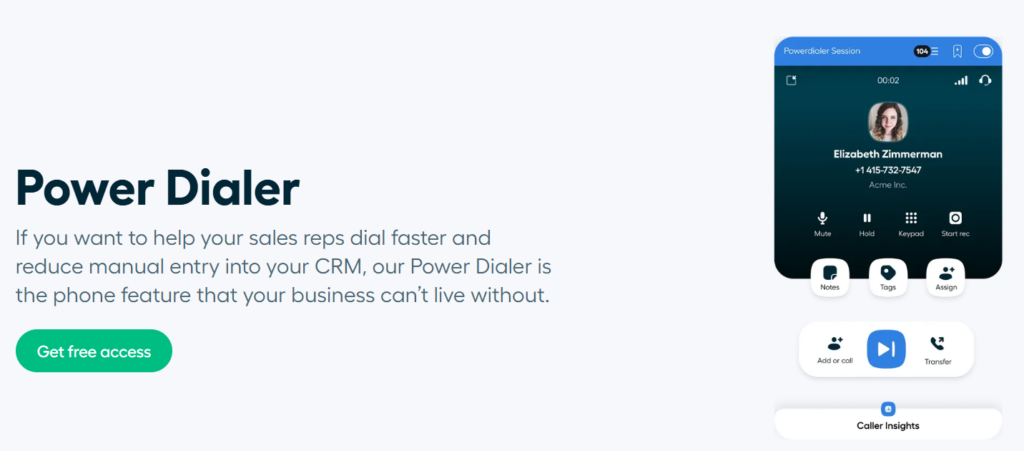
- Power dialer and click-to-call functionality for outbound workflows
- Call routing, IVR, and queue management for handling inbound and outbound calls
- Call recording and analytics for tracking performance
- Strong integration ecosystem with CRM and help desk tools
- SMS and messaging capabilities as part of the broader platform
- API access for custom workflows and automation
Best For
Aircall is best for small and mid-sized sales and support teams that want a simple, reliable autodialer integrated with their existing tools. It is especially well suited for companies that prioritize ease of use, fast onboarding, and CRM-driven workflows.
Pricing
Aircall offers public pricing with entry-level plans starting at a monthly per-user rate, with additional costs depending on features, usage, and higher-tier plans. This makes it relatively transparent compared to many competitors.
Pros and Cons
| Pros | Cons |
|---|---|
| Easy to set up and use for outbound teams | Limited predictive dialing capabilities |
| Strong CRM and help desk integrations | Not designed for high-volume call center operations |
| Transparent pricing structure | Advanced features may require higher-tier plans |
| Good fit for SMB and mid-market teams | |
| Combines calling and messaging in one platform |
CRM Integrations
Aircall is known for its strong integration ecosystem, with direct connections to platforms like Salesforce, HubSpot, Zendesk, and other popular tools. This makes it a strong choice for teams that rely heavily on CRM-driven outbound workflows.
Reviews
The setup is straightforward, and the integration with tools like CRM systems or comm tools (Front) platforms makes it much easier to keep communication centralized. G2 Review
Great software and a good level of product support form the Aircall team! We’re long term customers and I don’t see us moving away. Capterra Review
CloudTalk
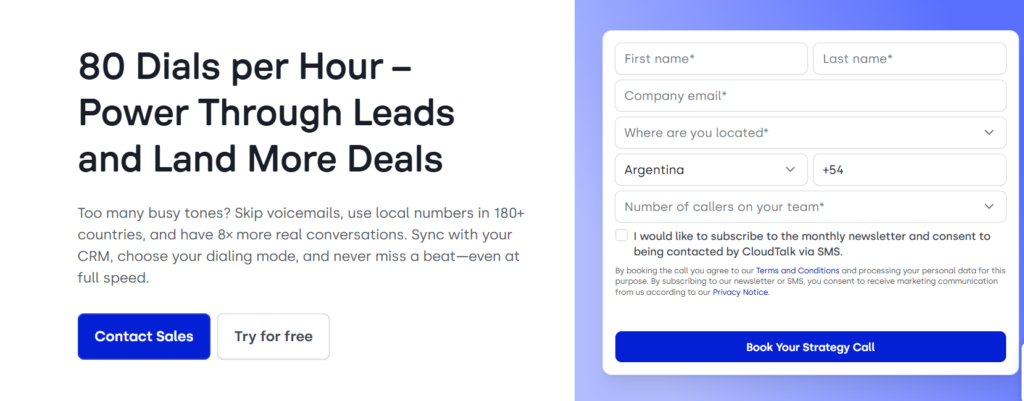
CloudTalk is a cloud-based call center software with strong autodialer capabilities, designed mainly for sales and support teams that rely heavily on outbound calling. Its positioning focuses on improving agent productivity through smart dialing modes, automation, and integrations, making it a popular option for SMB and mid-market outbound teams.
Key Features
- Power dialer, predictive dialer, and smart dialing modes
- Automated call distribution and routing for inbound and outbound workflows
- Call recording, analytics, and performance tracking
- Call scripts and real-time guidance for agents
- CRM and help desk integrations for workflow automation
- International calling support and global number availability
- AI-powered features for call transcription and insights
Best For
CloudTalk is best for SMB and mid-market sales teams and call centers that want a dedicated outbound calling solution with strong dialing capabilities and integrations. It is especially well suited for teams that need to increase call volume while maintaining visibility into performance.
Pricing
CloudTalk offers public pricing with multiple tiers depending on features and usage. Entry-level plans are available, but advanced dialing capabilities and higher usage levels may require more expensive plans.
Pros and Cons
| Pros | Cons |
|---|---|
| Strong outbound dialing features for SMB and mid-market teams | Advanced features may require higher-tier plans |
| Supports both predictive and power dialing | Not as robust as enterprise platforms for very large operations |
| Good balance between usability and functionality | Pricing can increase with usage and add-ons |
| Strong international calling capabilities | |
| Integration-friendly for CRM-driven workflows |
CRM Integrations
CloudTalk offers integrations with a wide range of CRM and help desk platforms, allowing teams to sync call data, manage contacts, and automate workflows. This makes it a strong option for teams that rely on CRM-driven outbound processes.
Reviews
CloudTalk, on the other hand, has really surprised me. Even on the entry-level plan, it offers advanced features like call routing, analytics, smart dialers, and AI voice agents that actually handle basic tasks and schedule callbacks. Reddit Review
I’m really pleased with both the application and the deal I received. I was looking for a solid call center phone system that handled everyday tasks well, and the website suggested one that met all my needs. TrustPilot Review
Squaretalk
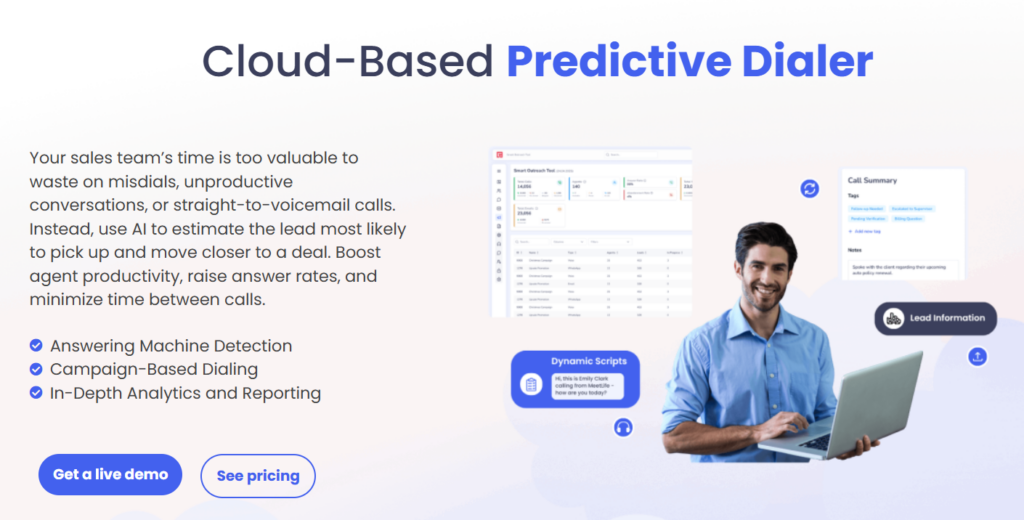
Squaretalk is a cloud-based contact center platform that combines VoIP, call center functionality, and autodialer capabilities in one system. Its positioning focuses on global outbound operations, making it particularly relevant for companies that need international calling, distributed teams, and scalable dialing infrastructure.
Key Features
- Predictive, progressive, and power dialing for outbound campaigns
- Cloud PBX functionality combined with call center tools
- International calling support and global number coverage
- Call routing, IVR, and queue management
- Call recording and real-time monitoring tools
- Analytics and reporting for performance tracking
- API access and integration capabilities for custom workflows
Best For
Squaretalk is best for call centers and outbound teams that operate internationally or need a combination of telephony infrastructure and dialing tools. It is especially well suited for businesses with distributed teams, multiple regions, or global customer bases.
Pricing
Squaretalk uses a quote-based pricing model depending on team size, usage, and feature requirements. This allows flexibility but requires direct contact with the vendor to understand full costs.
Pros and Cons
| Pros | Cons |
|---|---|
| Strong international calling capabilities | Pricing is not publicly transparent |
| Combines PBX, call center, and autodialer in one platform | May be more than needed for small sales teams |
| Supports multiple dialing modes for flexibility | Less focused on AI-driven features compared to some competitors |
| Good fit for distributed and global teams | |
| Scales well for outbound call center operations |
CRM Integrations
Squaretalk provides integration capabilities through APIs and supports connecting with CRM systems and other business tools. It is suitable for teams that need to sync customer data and manage outbound workflows across systems.
Reviews
SquareTalk has most of the features we need their instant messsaging and auto dialer were actually great addons, also their auto spam detection made it easier for our team to manage call much more efficiently. Software Advice Review
What I like best about Squaretalk is its simple, intuitive interface and strong integration with CRM platforms, which makes managing customer communication seamless. G2 Review
Orum
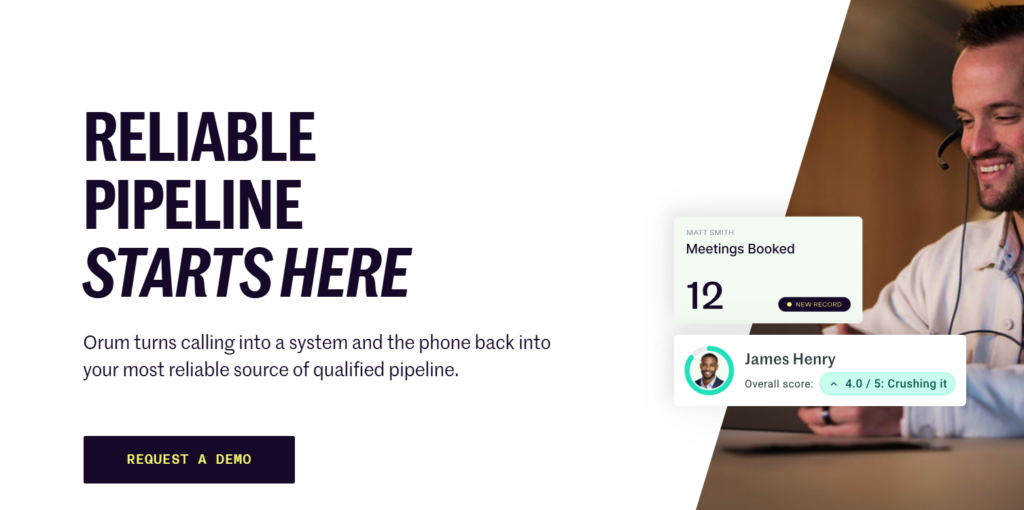
Orum is a sales-focused autodialer platform built specifically for high-velocity outbound teams. Unlike traditional call center software, Orum is designed to maximize live conversations by using AI-powered parallel dialing, which allows reps to connect with more prospects in less time.
Key Features
- AI-powered parallel dialing to connect with multiple prospects simultaneously
- Automated call sequencing and dialing workflows
- CRM integrations for syncing contacts and tracking activity
- Call analytics and performance insights for sales teams
- Spam detection and number reputation management tools
- Workflow automation for outbound campaigns
Best For
Orum is best for outbound sales teams, especially SDRs and BDRs, that need to maximize the number of live conversations and increase pipeline generation. It is particularly well suited for high-volume prospecting environments where speed and efficiency are critical.
Pricing
Orum uses a quote-based pricing model depending on team size and usage. As a specialized sales tool, pricing typically reflects its focus on high-performance outbound dialing.
Pros and Cons
| Pros | Cons |
|---|---|
| Maximizes live conversations with parallel dialing | Not designed for inbound or full call center workflows |
| Strong fit for high-velocity sales teams | Limited flexibility outside outbound sales use cases |
| AI-driven approach to dialing efficiency | Pricing is not publicly available |
| Focused tool with clear use case | May not replace a full call center platform |
| Good CRM integration for sales workflows |
CRM Integrations
Orum integrates with CRM platforms to sync contacts, log activity, and support outbound sales workflows. This makes it a good fit for teams that rely heavily on CRM-driven prospecting and pipeline management.
Reviews
The biggest benefit of Orum is the ability to parallel dial. In my previous role, I only had access to power dialing, which meant calling one person at a time and spending a lot of time waiting through rings, voicemails, and no-answers. G2 Review
My experience with Orum was great and when I faced some issues (very rare) or had some questions to optimize its use, the team was quick to respond and provided awesome support. Capterra Review






