
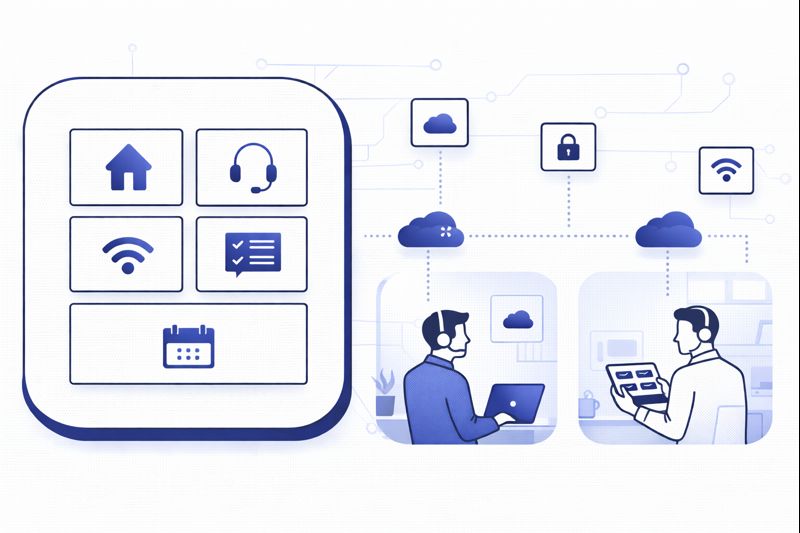
The highest-performing “virtual call centers” in 2026 don’t just let agents work from home. They are engineered so a 10-seat team spread across three countries can answer, route, and resolve just as reliably as a single enterprise floor. That takes more than a few softphones and Zoom logins. It takes a stack, a playbook, and non-negotiable guardrails around uptime, security, and coaching. This guide walks you through how to design a remote-first contact center that feels enterprise-grade from day one, using cloud telephony, integrations, and AI to keep quality up and costs under control.
1. What “Virtual Call Center” Really Means in 2026-2027
Most teams still define a virtual call center as “agents answering calls from home.” That’s the surface. Underneath, a modern virtual operation is a cloud contact center built on a single routing brain that can deliver consistent CX whether agents sit in Dubai, Delhi, or Dublin. Instead of hard phones and MPLS lines, everything runs on cloud telephony, browser-based calling, and a unified workspace like a modern cloud call center platform. The office becomes optional; process and tooling are the new infrastructure.
Remote-first design also changes who you can serve. Once your stack is location-agnostic, you can spin up language-specific pods, 24/7 follow-the-sun coverage, or specialist teams for healthcare, banking, or SaaS without signing new leases. The constraint stops being “where can we hire” and becomes “which workflows can we execute consistently.” That shift is where virtual contact centers pull away from legacy operations that still treat “work from home” as an exception instead of the default.
2. Core Architecture of a Remote-First Virtual Call Center
Under a remote-first model, your architecture has three non-negotiables: cloud telephony, intelligent routing, and a single agent desktop. Telephony must be carrier-agnostic, with local and international numbers running through a resilient cloud PBX and VoIP system. Routing has to handle skills, languages, time zones, and VIP rules without manual juggling. And the agent desktop should merge call controls, CRM data, and tickets so reps aren’t tab-hunting in the middle of a conversation.
The best way to think about this is “minimum viable stack” first, then add layers. Start with voice, queues, and basic reporting. Then layer integrations, outbound dialers, and AI as volume and complexity increase. A lot of outage pain comes from bolting too much onto a weak foundation, instead of following a staged roadmap like the architectures documented in zero-downtime call center designs.
| Component | Legacy On-Prem Approach | Virtual Call Center Approach (2026) |
|---|---|---|
| Telephony | Fixed PRI lines, hardware PBX, in-office phones | Cloud PBX with softphones, WebRTC, browser calling |
| Numbers | Local numbers tied to a single office | Global DID pool routed to any agent anywhere |
| Queues | Single general queue, basic hunt groups | Skills, language, time-zone and VIP-based queues |
| Routing | Round robin or manual transfers | Intent, history and value-driven routing rules |
| Agent Desktop | Separate CRM, helpdesk and dialer windows | Unified interface with CTI, data and actions in one view |
| Recording | Selective recording, manual retrieval | 100% recording with searchable transcripts and tags |
| QA | Sample-based listening, spreadsheets | AI-assisted scoring with human calibration |
| Reporting | Static daily reports on a shared drive | Real-time dashboards and drill-downs by team and channel |
| Workforce | Shifts designed around office hours only | Follow-the-sun scheduling and flexible remote shifts |
| Security | Network firewalls, physical access controls | SSO, role-based access, endpoint and data-layer controls |
| Integrations | Custom point-to-point integrations | API-first, pre-built connectors and no-code flows |
| Scaling | New hardware, circuits and office space | Add seats, numbers and regions with configuration only |
| Disaster Recovery | Manual re-routing in outages | Automatic failover and multi-region redundancy |
| Cost Model | Capex-heavy, 3–5 year lock-ins | Opex pricing, scale-up/scale-down flexibility |
3. Designing Routing, Queues and SLAs for Remote Teams
Virtual centers live or die on routing. When agents sit across time zones, you can’t rely on line-of-sight floor management to rescue misrouted calls. Start by mapping your queues around customer intent, not internal departments. Use separate queues for sales, support, billing, and high-value customers, then layer language and region skills on top. Intelligent routing engines like those used in predictive routing deployments can use history and customer value scores to decide whether a call goes to your best closer or your fastest resolver.
For SLAs, build realistic targets for remote teams: service level, average handle time, abandonment rate, and first contact resolution. To manage them, you need live dashboards that supervisors can see at any time, not weekly Excel summaries. Borrow KPI sets and thresholds from proven benchmark metric guides, then tune them for your industry. The aim is to make routing and queue design so precise that supervisors can focus on coaching, not firefighting.
4. Devices, Network and Work-From-Anywhere Standards
The biggest operational risk in a virtual call center is not the core platform; it’s the messy reality of home networks and devices. Treat endpoint standards as a first-class design problem. Define a minimum supported hardware set: headsets with noise cancellation, laptops with enough CPU to handle your softphone, and routers that support stable QoS. Pair this with a pre-call network test so agents can’t log in if jitter, packet loss, or latency cross defined thresholds — the same principle behind downtime-resistant cloud call center setups.
For connectivity, use split-tunnel VPNs or secure browser access instead of forcing all voice traffic through corporate VPNs, which often introduces latency. Encourage dual-connectivity (home broadband plus 4G/5G backup) for critical roles. When you standardize the endpoint environment, you stop treating poor audio as “bad luck” and start treating it as a controllable, measurable variable in your quality model.
5. Hiring, Training and Managing Performance in a Virtual World
Remote-first hiring should start with clarity about roles. Define profiles for inbound support, outbound revenue, and hybrid agents. For each, test not just language skills but home setup, focus, and autonomy. Recording a mock call and capturing system performance data gives a more realistic picture than a traditional interview. Many organizations pair this with structured career ladders and compensation bands similar to those used in multi-office VoIP deployments, where remote agents can still see how to progress.
Training cannot be “one and done.” Set up onboarding sprints that combine product knowledge, tools navigation, and call handling frameworks, followed by a nesting phase with lighter targets. Use real recordings and transcripts as your primary teaching material, then reinforce them with call libraries of “gold standard” interactions. To maintain performance, build a coaching rhythm: quick daily huddles, weekly one-to-ones, and monthly calibration sessions where leaders review trends surfaced by AI-driven performance analytics.
6. AI, QA and Analytics for Distributed Teams
Virtual centers generate more data than floor-based operations — every call, screen, and workflow runs through software. Use that data deliberately. Start with AI-assisted QA that listens to every conversation, flags risk, and scores adherence to scripts and compliance, as described in AI-first QA frameworks. Human QA then shifts from hunting for calls to validating and refining AI output.
Layer real-time agent assist on top: prompts, suggested replies, and next-best actions triggered by keywords or intent. This is invaluable for new remote agents who can’t just swivel to a neighbour for help, and mirrors the impact seen with live AI coaching tools. Finally, close the loop with analytics that connect contact quality to hard outcomes. Dashboards should track not just volume and AHT, but conversion, retention, and customer sentiment, pulling in multi-region insights similar to those explored in market-specific AI analytics guides.
7. Security, Compliance and Reliability Without a Single Office
When agents handle payments, health data, or financial information from home, you have to assume the environment is untrusted. Start with identity: SSO, MFA and role-based access. Then apply least privilege at the application level — no more shared logins or generic admin accounts. For sensitive flows, use in-call payment capture and redaction so card details never reach the agent desktop, following patterns similar to those in compliance-focused cloud deployments.
On the reliability side, architect redundancy at three levels: platform, network, and workforce. Platform redundancy means multi-region hosting and failover; network redundancy means alternative ISPs and LTE backups; workforce redundancy means overlapping shifts across regions so one local outage doesn’t empty your queues. Reference multi-year TCO and reliability models like those explored in cloud vs on-prem cost analyses when justifying this investment to finance or the board.
8. 90-Day Roadmap to Launch a Virtual Call Center
Days 1–30 – Design and vendor selection. Document your use cases, volumes, languages and compliance obligations. Shortlist cloud platforms, then run live trials with 5–10 agents on each. Look at call quality, admin usability, integrations, and reporting depth, drawing on feature evaluation frameworks like ROI-ranked cloud feature lists. In parallel, define device standards, network requirements, and security policies for remote agents.
Days 31–60 – Build, integrate and pilot. Once you’ve chosen your platform, configure queues, routing rules, business hours and IVRs. Connect CRM, ticketing systems and key integrations, using blueprints from integration-focused architecture guides. Hire your first wave of agents, run structured onboarding, and launch a controlled pilot with one line of business. Track SLAs daily, fix routing glitches quickly and refine your QA scorecards.
Days 61–90 – Scale, automate and harden. Expand seat count and coverage, add outbound campaigns or new channels, and start introducing AI assist, AI QA, and automated summaries. Stand up production-grade dashboards and weekly performance reviews, using KPI sets similar to those documented in customer-retention-focused contact center playbooks. Wrap up with a runbook for outages, security incidents and volume spikes so your virtual operation behaves like a seasoned enterprise center, not a fragile experiment.
9. FAQ: Building and Scaling a Virtual Call Center in 2026
What’s the minimum stack I need to launch a virtual call center?
How do I control quality when agents are fully remote?
How many agents can I realistically run without a physical office?
What’s the biggest mistake teams make when going virtual?
How should I budget for a virtual call center compared to on-prem?
Can a virtual call center still feel “on-brand” for premium customers?
A virtual call center is no longer a stopgap for emergencies. In 2026, it’s the default way high-growth teams reach customers, hire globally and keep costs in line. If you design your architecture, routing, workforce and analytics with remote work in mind from day one, you don’t just match traditional operations — you surpass them.






