
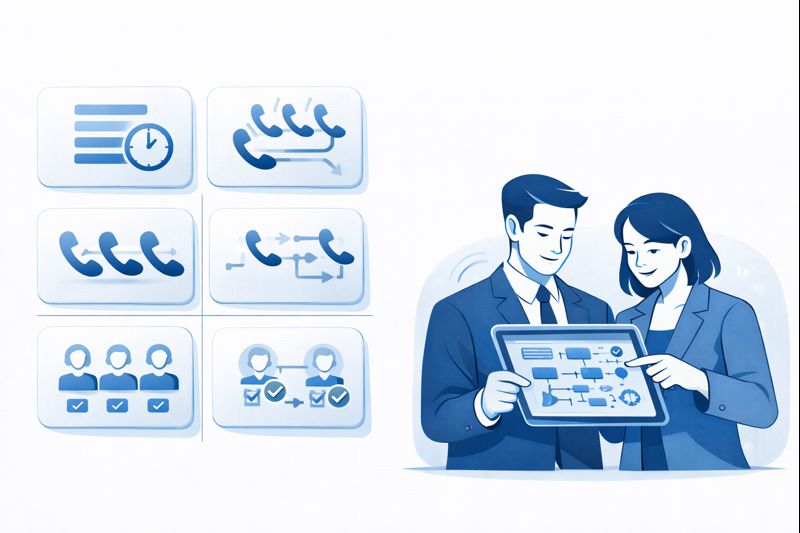
Most teams inherit call flows that “just work” and never stop to ask what’s actually routing the calls. Are we using ring groups? Hunt groups? True queues? Any skills-based logic at all? The labels sound similar, but they behave very differently under load. The wrong choice quietly destroys SLAs, CX and agent morale; the right one lets you scale from 5 seats to 500 without rewriting everything. This guide breaks down queues, ring groups, hunt groups and skills routing in plain English so you can design flows that match how your customers really call.
1. Plain-English Definitions: Queues vs Ring Groups vs Hunt Groups vs Skills Routing
Ring group. A ring group is the simplest model: a call hits a number and rings a fixed set of agents at the same time (or in a fixed order). Whoever picks up first wins the call. Great for tiny teams, but there’s no real wait logic, fairness, or deep reporting. This lives mostly in your cloud PBX phone system.
Hunt group. A hunt group is a smarter ring group. Instead of ringing everyone at once, it “hunts” through a sequence: Agent A for 10 seconds, then A+B, then the full team, then voicemail. Better than pure blast, but still not queue-based. Hunt groups also live in PBX land and are common in small offices or branch locations.
Queue. A queue holds callers in line, plays announcements and estimated wait times, and assigns them to the next available agent based on simple rules (round robin, longest idle). Queues unlock proper contact center metrics like ASA, abandonment and service levels. This is where true cloud contact center platforms start.
Skills routing. Skills-based routing and predictive routing sit on top of queues. The platform categorises a call (language, product, intent, value, risk) and sends it to agents with matching skills and capacity. Modern engines combine explicit skills with AI signals, like those described in predictive routing playbooks and AI-powered call center stacks.
| Dimension | Ring Group | Hunt Group | Queue | Skills Routing |
|---|---|---|---|---|
| Core purpose | Make a simple team’s phones ring together. | Try a sequence of agents or teams in order. | Hold callers and distribute load fairly. | Match each caller to the best-suited agent. |
| Typical home | PBX / UCaaS only. | PBX / light call handling. | Cloud contact center platform. | Advanced contact center engines. |
| Caller experience | Rings instantly; busy or voicemail if no answer. | Rings multiple times; unpredictable who answers. | Wait music, position updates, callbacks. | Shortest wait with the right person first time. |
| Routing logic | All-at-once or simple order. | Step-by-step escalation path. | Round robin, longest idle, priority. | Skills, priority, intent, value, AI signals. |
| Best team size | 1–5 people. | Up to ~10–15 people. | Dozens to hundreds. | Large, specialised operations and BPOs. |
| Reporting depth | Basic: answered vs missed. | Basic plus per-step stats. | Full ACD metrics and SLAs. | Per-skill, per-intent, per-segment insights. |
| Overflow handling | Often just voicemail or forward. | Last resort team or mailbox. | Overflow queues, callbacks, deflection. | Dynamic re-skilling, priority changes, AI routing. |
| Impact on SLAs | Unpredictable under high volume. | Better, but brittle when busy. | Designed for SLA management. | Optimises SLAs for key segments first. |
| CX sophistication | Low — “someone will answer.” | Medium — “we’ll try a few places.” | High — structured experience. | Very high — proactive, personalised flows. |
| Multilingual support | Manual; relies on who answers. | Some language-based steps. | Language-based queues. | Per-language skills and routing rules. |
| Omnichannel support | Voice only. | Voice only. | Voice + chat + email + messaging. | Unified skills and queues across all channels. |
| AI readiness | Hard to layer meaningful AI. | Limited: basic analytics only. | Supports AI QA and analytics. | Built for real-time coaching and smart routing. |
| Complexity to set up | Very low. | Low to medium. | Medium (needs design work). | High — but biggest payoff at scale. |
| Change management | Mostly number lists. | Step sequences and timers. | Queues, priorities, thresholds. | Skill taxonomies, AI models, routing policies. |
| Where it breaks down | Any sustained volume or multi-skill demand. | Spiky volume, complex needs. | Highly specialised or VIP flows without skills. | Poor design; overcomplicated skills or bad data. |
| Best fit scenarios | Micro-teams, small branches, internal desks. | SMBs with a few lines, light support. | Any serious support/sales/collections team. | High-stakes operations, BPOs, regulated industries. |
2. When Ring and Hunt Groups Still Make Sense
Ring and hunt groups are not “bad”; they’re just the wrong tool once you have real volume or complexity. They shine in places where flexibility matters more than strict fairness: a 3-person legal team, a field office, an IT help line for internal staff. Setup is instant and changes are simple. You don’t need wallboards, abandonment curves or deep analytics.
The problem is that these patterns are often left in place long after the team looks like a real contact center. At 15–20 agents across multiple shifts, ring groups create burnout and missed calls, and hunt groups become impossible to reason about. That’s the moment to move routes into proper queues inside a scalable contact center platform rather than extending PBX logic indefinitely.
3. Why Queues Are the Minimum Viable Contact Center
Queues give you three things ring/hunt groups never will: controlled waiting, fair distribution and measurable performance. You decide how many people can sit in line, how long they can wait, what they hear, and when to offer callbacks or deflection. You can see, per queue, what ASA, occupancy, abandonment and FCR look like and redesign accordingly, using frameworks from metrics benchmark reports.
Queues also unlock WFM and forecasting. Once calls land in a defined queue, you can predict volume by half-hour, staff to that pattern and monitor SLAs live. That’s impossible with blast-style ringing where calls bounce unpredictably. For most operations above 10–15 agents, moving the main entry points into queues is the single biggest design upgrade you can make, second only to choosing reliable infrastructure like 99.99% uptime architectures.
4. Skills Routing: Turning Queues into Smart Distribution
Skills routing starts with a simple question: “Which agents should actually handle this call?” Instead of assuming “anyone in support” can handle anything, you tag agents with skills (language, product, tier, channel, compliance) and tag interactions with the same attributes. The router then matches calls to agents who are both available and appropriately skilled, often with priorities depending on value or risk.
Modern platforms go further: they mix static skills with AI-derived signals (sentiment, fraud risk, VIP status) and historic performance. For example, high-value banking callers with fraud alerts can be routed to a narrow skill group defined in KYC and high-risk workflows, while routine password resets go to generalists. Over time, routing becomes a strategic lever, not just a plumbing detail.
5. How Routing Models Change SLAs, CSAT and Cost
Routing is not a technical footnote; it’s the thing that decides whether your SLAs and CX goals are realistic. Ring and hunt groups produce erratic wait times and abandonment: some callers get answered instantly, others bounce between agents and voicemails. Queues produce stable distributions: you can see where SLAs break and adjust staffing or thresholds. Skills routing lets you decide which segments are allowed to bend the rules.
Operationally, that means you can set different service levels for generic vs high-value queues, track them, and enforce escalation when things slip. CX-wise, the experience of reaching the right person first time versus being transferred three times shows up directly in NPS and CSAT, which is why routing is a key ingredient in contact center CX playbooks. Cost-wise, smarter routing means fewer recontacts and shorter handle times, which let you do more with the same headcount.
6. Bringing AI, QA and Skills Together
Skills routing becomes dramatically more effective when it’s fed by QA and AI instead of static assumptions. AI quality monitoring tools can analyse 100% of calls, find where certain skills really matter, and highlight agents who consistently perform above or below average on specific intents, as described in AI QA coverage frameworks.
Similarly, real-time agent assist can reduce the need for overly strict skill segmentation by giving generalists smarter prompts on complex calls, echoing the approach in real-time coaching platforms. Over time, you can strike a balance: enough skills to route intelligently, plus enough AI support to keep queues flexible instead of brittle.
7. 90-Day Roadmap: Evolving from Ring Groups to Skills Routing
Days 1–30: Inventory flows and routing models. Map every number, IVR entry point and routing decision. Mark which flows are pure ring groups, which are hunt groups, and which already use queues. Collect basic stats: volume, answer rate, transfers, abandonment. Compare this to your ideal architecture using guides like integration roadmaps and layered architecture explainers if you have them in place.
Days 31–60: Move high-value flows into queues. Start with the three to five numbers where SLAs and revenue matter most (support mainline, sales, collections, fraud). Build simple queues with clear priorities and overflow rules. Replace ring/hunt groups behind those entry points with queue-based routing, using live dashboards from a cloud contact center like high-availability platforms to watch impact in real time.
Days 61–90: Introduce skills for complexity, not vanity. Define a small set of skills that correspond to real differences in work: language, product tier, high-risk work, VIPs. Tag agents accurately; tag calls via IVR options and integration with CRM, as in CTI integration explainers. Turn on skills routing for the queues where misroutes hurt most, monitor SLAs and QA, then expand gradually. Resist the urge to create dozens of micro-skills that nobody can maintain.






