

If you only look at “per-seat price,” on-prem can still look cheaper than cloud on paper. But the minute you factor in hardware, upgrades, IT time, and even a few hours of downtime, the 3-year total cost of ownership (TCO) tells a completely different story. This guide walks you through that full picture: licenses, SIP, storage, support, migration, and the soft costs most vendors hide in fine print. You’ll leave with a simple 3-year TCO model you can adapt to your own seat counts, migration plan, and risk tolerance.
1. Why 3-Year TCO Beats “Per-Seat Price” Comparisons
On-prem call centers usually look attractive because the license cost is capitalized once, while cloud feels like “rent forever.” But CFOs don’t sign off on license price; they sign off on business risk over time. A 3-year TCO model forces you to include network upgrades, PBX hardware, failover trunks, security tools, and the engineering time that keeps everything alive. Cloud compresses most of that into a predictable Opex line plus a small migration project, which is why so many teams move their voice stack onto a global cloud PBX and VoIP platform instead of refreshing another generation of on-prem gear.
Three years is also where patterns appear. Year one includes migration and overlap costs. Year two shows your true run rate. Year three is where on-prem usually demands new hardware, software upgrades, or a painful capacity expansion. When you map these across cloud and on-prem side by side, the “cheap” option often becomes the most expensive once you include downtime and maintenance.
2. Cloud Call Center Cost Stack (Years 1–3)
Cloud call center economics are built around usage and features, not racks and patch panels. Your main lines are licenses, minutes, numbers, and a small amount of implementation effort. Seat-based pricing scales linearly, which makes budget planning simple as you ramp headcount. Most teams then add optional modules for AI, workforce management, or analytics depending on their maturity. The operational savings often start with reliability: a cloud platform designed to eliminate avoidable downtime prevents revenue and CX loss that never shows up in license comparisons.
Where cloud can surprise you is overprovisioning and poorly managed add-ons. If every pilot team gets its own premium analytics and AI package, your monthly invoice drifts upward. The fix is governance: standardize on one routing configuration, one recording policy, and one WFM module per region, instead of stacking overlapping tools. The upside is that when you need capacity in a new region or want to spin up a specialist team, you can do it in days instead of waiting months for new circuits, PBX cards, and office build-outs.
3. On-Prem Call Center Cost Stack (Years 1–3)
On-prem costs are front-loaded but rarely stop at “buy a PBX and some phones.” You invest in servers, SBCs, licenses, power, cooling, and resiliency. You also lock in a dependency on a limited pool of engineers who understand the specific vendor stack. When those systems age out, upgrades become mini-migrations in themselves, which is why so many CIOs are already mapping a path away from legacy platforms using frameworks similar to modern PBX migration roadmaps.
Hidden inside these capex-heavy environments are ongoing contracts: support agreements, maintenance renewals, and professional services for even simple changes. Want a new IVR flow, SIP trunk, or recording policy? That might mean a change request and billable hours. If your organization treats on-prem as “sunk cost,” these line items can live off the radar for years while consuming budget that could fund AI, better routing, or new channels in a cloud environment.
4. 3-Year TCO Comparison: Cloud vs On-Prem at Different Scales
Instead of chasing exact dollar amounts, start with relative cost patterns by component. The table below assumes a 3-year window and compares cloud and on-prem across two typical scales: a 50-seat operation and a 200-seat operation. You can then plug in your own currency and rates, using it as a blueprint alongside more detailed resources like your existing PBX migration cost blueprint.
Once you lay components out like this, patterns emerge. Cloud’s line items tend to be simpler but recurrent. On-prem starts heavy, quiets down in year two, then spikes again when you upgrade, expand, or refit for new regions. That variability is exactly why many organizations prefer cloud architectures designed for zero-downtime call traffic over running their own telephony stack forever.
5. Modelling Downtime: The Hidden Line Item That Blows Up Budgets
Downtime is where TCO models either become honest or stay theoretical. Outages are not just IT problems; they are lost sales, SLA penalties, and churn. If your on-prem system is tied to one data center or one SBC, a power issue or fiber cut can wipe out an afternoon’s revenue. Cloud vendors invest in multi-region routing, health checks, and failover so a component failure is invisible to most customers, similar to the patterns described in high-reliability contact center designs.
To price downtime properly, start with three numbers: average revenue per minute of call center activity, the cost of SLA penalties per hour, and your historical outage hours per year. Multiply them, then add a reputational risk factor for regulated industries that can’t tolerate missed calls. When you plug that into your 3-year model, you’ll often find that shaving one or two hours of annual downtime more than pays for a modern cloud stack that routes around failures instead of stopping your operation cold.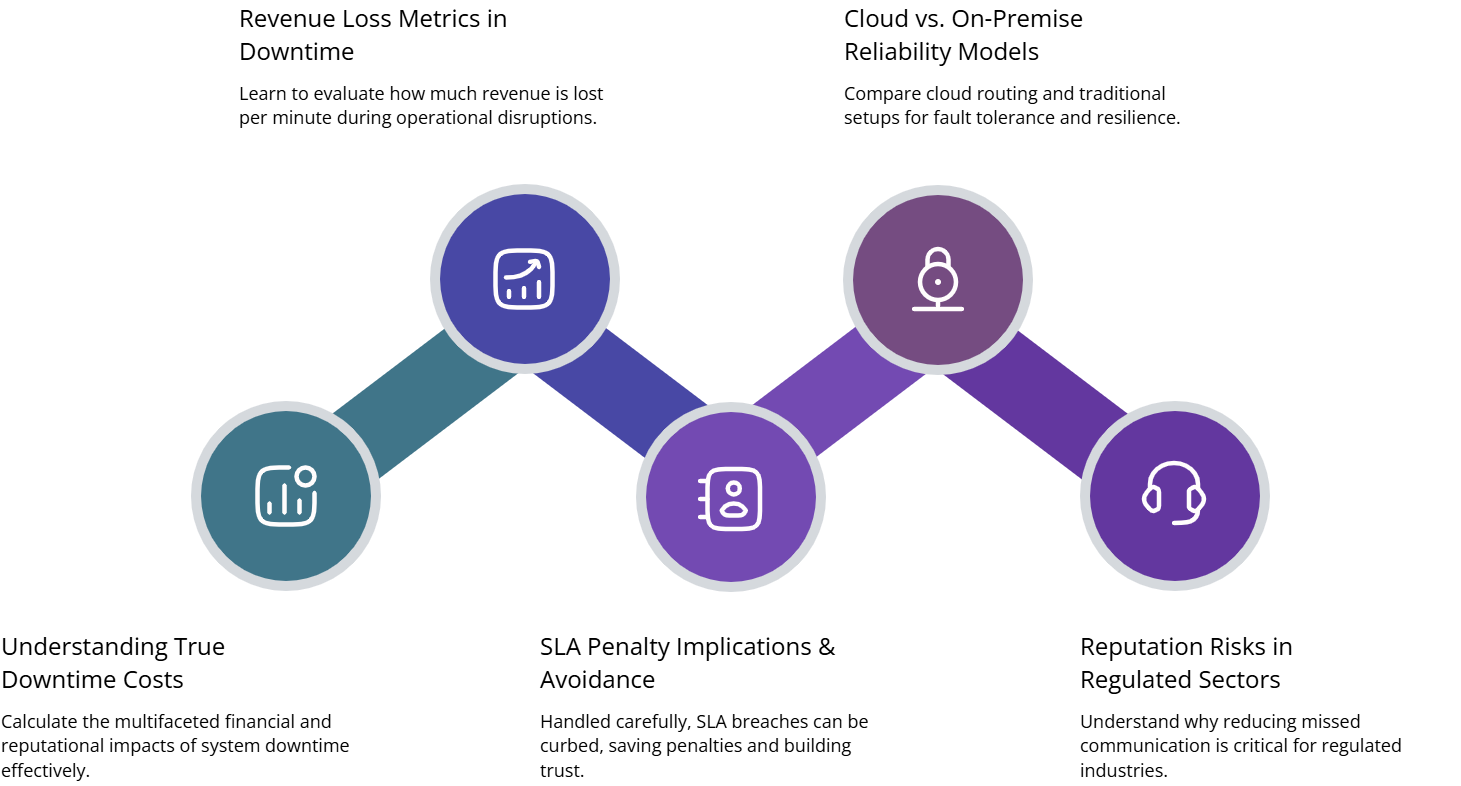
6. Migration Strategy: How to Move Without Paying Twice
The biggest fear with moving from on-prem to cloud is “paying for two systems at once.” That can happen, but it doesn’t have to if you treat migration as a staged cutover, not a big-bang event. The first step is discovery: inventory every number, trunk, IVR, and integration. Use that to define waves: low-risk internal lines first, then one region, then your highest-value queues. Teams that follow structured roadmaps similar to CIO-level migration guides typically compress the overlap window to a few months instead of years.
Run the two systems in parallel only where it protects revenue: for example, keeping a legacy IVR as fallback while your new cloud flows are battle-tested. During this phase, your engineers can shift workloads between platforms as a form of live testing, while your finance team tracks real vs forecasted spend. The most successful migrations treat each wave like a mini-project with its own success metrics, change windows, and rollback plans. By the time you switch off the last on-prem box, most of the organization should already be comfortable living in the new cloud contact center.
7. How to Build Your Own 3-Year TCO Model (Step-by-Step)
A good TCO model fits on one sheet and can be explained in five minutes. Start by listing cost categories: licenses, minutes, hardware, IT time, migration effort, integrations, security, and downtime. For each, capture current spend, expected change over three years, and whether it is fixed or variable. Use existing reference points from earlier projects and from resources like real-world PBX cost-reduction case studies to keep your estimates grounded in reality, not wishful thinking.
Then, create two scenarios: “Cloud-first” and “On-prem extended life.” In each scenario, plug in your planned seat counts for years one, two, and three, plus any expansion into new countries or lines of business. Add a simple sensitivity analysis: what happens if volume grows 30% faster than expected, or if you need to add AI quality monitoring mid-way through the period using approaches similar to full-coverage AI QA? This lets you stress-test your choice before you commit capital or sign multi-year contracts.






