
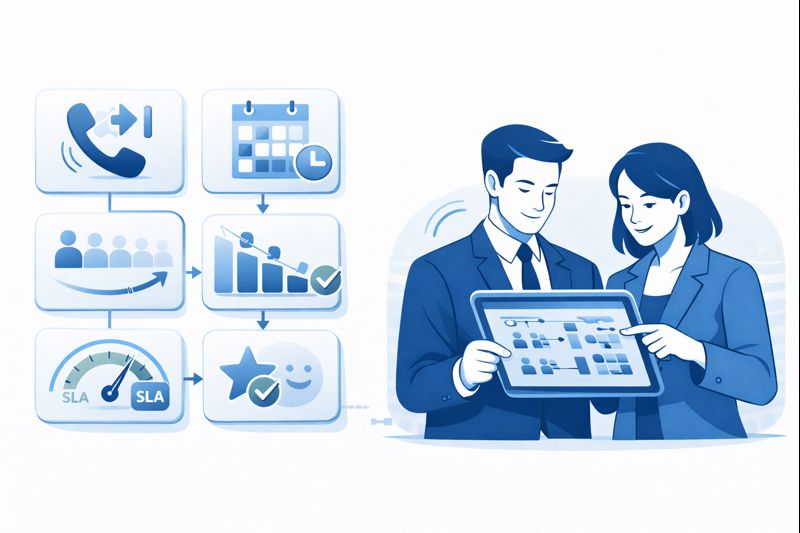
Callbacks are one of the few contact center levers that can cut abandonment fast without hiring a new shift overnight. But most teams implement them like a band-aid: “Offer a callback when the queue is long.” That sounds reasonable until it quietly wrecks your SLA math. The queue looks healthier on paper, abandon rate drops, and leadership celebrates — while the real backlog moves into a shadow system of promised callbacks that agents can’t fulfill on time. Then customers get the worst outcome: they waited once, got promised a callback, and still didn’t get served. If you’re trying to build a modern stack that scales, callbacks have to be designed as a queue policy with operational controls, not a UI option. This is the same discipline teams apply when selecting high-ROI cloud call center features or comparing platform stacks on routing and reliability.
This guide shows how to implement callbacks as an engineered system: eligibility rules, capacity throttles, scheduling windows, identity/context integration, and reporting that keeps SLA honest. The goal isn’t just “fewer abandons.” The goal is lower abandonment + stable service levels + fewer angry repeat contacts. Done right, callbacks become virtual hold with predictable fulfillment. Done wrong, they become a broken promise factory that damages trust more than a long wait ever would.
1. Callbacks Aren’t “Nice to Have” — They’re a Queue Policy
Abandonment is rarely about patience alone. People abandon because they don’t trust the wait time, they’re on mobile, they’re multi-tasking, they tried once already, or they assume they’ll be bounced between agents anyway. Callbacks work because they remove the “dead time” pain. But the moment you offer a callback, you are creating a new obligation: a promised contact that must be fulfilled within a specific window.
That obligation has to be modeled the same way you model inbound capacity. If you don’t, you create a second queue that is invisible to your dashboards — which is how many operations teams accidentally “cheat” their own SLA. The fix is to treat callbacks as part of your overall inbound/outbound design, especially if callbacks are completed by outbound dials using patterns from modern outbound engines.
2. The Four Callback Types (And Which One Quietly Breaks SLAs)
Most teams talk about callbacks like they’re one feature. They aren’t. There are four distinct patterns, and they behave very differently operationally:
- Virtual Hold (queue-based callback): The customer keeps their place in line, but doesn’t stay on the phone.
- Scheduled Callback: The customer selects a time window, and you promise a call in that slot.
- Intelligent Callback: The system offers callback based on predicted wait time and capacity forecasts.
- Deflection Callback: A callback is offered as an escape hatch when you’re overloaded (most dangerous).
The one that quietly breaks SLAs is deflection callback. It reduces abandonment immediately, but it doesn’t preserve order or capacity. It just moves pain forward. Virtual hold is the cleanest pattern because it behaves like the same queue, just without the “hold time.” Scheduled callback is powerful for premium segments and complex cases — but only when you can guarantee the window.
When teams scale callbacks across regions, time zones, and compliance environments, the design must also match your telephony and number strategy — especially for caller ID trust and local number coverage. If you’re expanding globally, patterns from global cloud PBX design matter more than people expect: answer rates can collapse if customers don’t recognize the callback number.
| Dimension | Design Rule | Failure Mode | What to Measure | Helpful Deep-Dive |
|---|---|---|---|---|
| Eligibility Trigger | Offer callback based on predicted wait + real-time staffing, not a fixed threshold. | Callback offered too early → unnecessary outbound volume. | Callback take-rate; forecast error impact. | AI-driven telephony evolution |
| Virtual Hold Position | Preserve queue position for virtual hold whenever possible. | Deflection callbacks create a hidden backlog and SLA drift. | Fulfillment time vs promised time. | inbound queue design patterns |
| Capacity Throttle | Cap callbacks created per 15-min interval based on staffed capacity. | Callback snowball after a spike → next-hour meltdown. | Callback backlog size; missed windows. | ops dashboards for backlog visibility |
| Promise Window | Use windows (e.g., “within 30–45 minutes”) not exact times unless scheduled. | Exact-time promises increase breach perception. | Breach rate; complaint rate after breach. | SLA expectation design |
| Scheduled Callback Slots | Offer only slots you can staff; limit the number of slots shown. | Customers select times you can’t honor → trust damage. | Slot fill rate; on-time rate per slot. | small-team staffing constraints |
| Retry Policy | 2–3 retries with smart spacing; stop if customer declines. | Over-retries feel spammy and waste capacity. | Connect rate; retries per completion. | compliant callback workflows |
| Caller ID Trust | Use recognizable, local or branded numbers; avoid “unknown” patterns. | Low answer rate turns callbacks into wasted volume. | Callback answer rate; voicemail rate. | global caller ID strategy |
| Regional Routing | Respect time zones and local hours; don’t callback at “legal but hated” times. | Bad timing increases complaints and repeat contacts. | Answer rate by hour; complaint tags. | U.S. compliance + scale patterns |
| Data Compliance (EU/UK) | Ensure callback logs, consent, and retention align with GDPR expectations. | Callback records become compliance liability. | Audit readiness; consent completeness. | UK GDPR-safe operations |
| Data Residency (Canada) | Align storage and reporting with local compliance expectations. | Data policies block rollout late in the project. | Storage compliance; vendor approvals time. | Canada compliance patterns |
| CRM Context at Dial | Callback attempts should pop the right record instantly (ticket + last interaction). | Agents start cold → AHT climbs, callbacks feel pointless. | Time-to-context; AHT on callbacks vs inbound. | CRM integrations that cut handle time |
| CTI Widgets | Use CTI widgets to show intent, priority, and next best action. | Agents waste first minute re-triaging the issue. | Hold-after-answer; transfers after callback. | best CTI widgets |
| Salesforce Callback Flows | Map callback outcomes into cases/tasks automatically. | Manual wrap-up ruins throughput and reporting accuracy. | After-call work; case completion rate. | Salesforce CTI comparisons |
| HubSpot Callback Flows | Tie callbacks to lifecycle stage and recent activity to prioritize correctly. | Callbacks hit the wrong accounts first, hurting revenue outcomes. | Connect-to-meeting rate; pipeline impact. | HubSpot CTI playbook |
| Zendesk Callback Flows | Route callbacks using ticket priority and SLA policies, not just queue time. | High-priority tickets wait behind low-priority callbacks. | Ticket SLA breaches; reopen rate. | Zendesk integration setup |
| Callback Attempt Logging | Log each attempt with reason codes (no answer, busy, wrong number, declined). | You can’t diagnose low completion without attempt telemetry. | Completion rate; failure reason distribution. | integration ROI ranked by use case |
| Infrastructure & Surge | Callback systems must survive spikes without delay or dropped attempts. | A spike day creates a callback storm you can’t deliver. | Callback latency; failure rate under load. | scalable call system architecture |
3. The SLA Trap: When Callbacks Make Your Dashboards Look Better While Reality Gets Worse
Callback programs often “improve” SLAs because they change what’s being measured. If you only measure inbound ASA and inbound abandonment, callbacks can make performance look healthier — while the true customer experience deteriorates. The customer didn’t get served faster. The customer got deferred into a promise.
To keep the program honest, you need two parallel views:
- Inbound view: wait time, abandon, queue time distribution.
- Callback fulfillment view: promised window vs actual callback time, completion rate, retries, and time-to-resolution.
This is where teams lose weeks: they launch callbacks, see abandonment drop, then discover that “missed callback windows” becomes the new complaint category. If your callback policy cannot be explained in one page and measured daily, it’s not stable enough to scale.
4. The Operational Controls That Make Callbacks Work
Callbacks reduce abandonment only when they are constrained by operational reality. The controls below are the difference between “virtual hold” and “broken promise”:
- Throttle callback creation: cap how many new callbacks can be created per interval (especially during spikes).
- Protect capacity for fulfillment: reserve a slice of agent capacity for callbacks, or use dynamic blending.
- Don’t over-promise: use windows and surge-mode disclaimers instead of exact times.
- Stop retry spam: set retry limits, and respect customer declines.
- Make callbacks “context-first”: when the agent connects, they must see history immediately.
In BPO or multi-site environments, callbacks must also reflect staffing patterns and language coverage. If your operations looks like Dubai or the GCC (multilingual, high-volume), callback answer rates and scheduling windows must match reality. That’s why regional patterns described in multilingual high-volume operations matter even for “simple” features like callbacks.
5. Integrations: Your Callback Program Is Only as Good as Your Data
Callbacks are a context game. If the callback connects and the agent has to ask the same questions again, the customer feels like your company is disorganized. If your callback logs don’t land in the CRM or ticketing system, you lose the ability to troubleshoot and you create internal blame (“ops says it was dialed,” “support says it never happened”).
A reliable callback program needs:
- Identity mapping: phone → account/ticket reliably.
- Disposition truth: every attempt and outcome logged with consistent reason codes.
- Workflow automation: callbacks should create/update tickets, not rely on agent memory.
If you’re operating a BPO-heavy model (like the Philippines), callback handling also depends on speed, SLA discipline, and predictable tooling. Align your callback design with patterns from BPO-optimized routing and SLA environments so fulfillment doesn’t collapse during shifts and handoffs.
6. 90-Day Roadmap: Implement Callbacks Without Breaking Your SLAs
Days 1–30: Define callback intent and success criteria. Decide which callback type you’re implementing first (virtual hold is usually safest). Define the promise window, retry policy, and what “success” means beyond abandonment reduction (completion rate, on-time fulfillment, fewer escalations). If you’re still choosing systems, align requirements to a procurement perspective like platform comparisons that expose where callback logic lives (routing engine vs add-on).
Days 31–60: Integrate context and instrument telemetry. Ensure callback attempts and outcomes land in your CRM/ticket system. Create a callback dashboard: backlog size, breach rate, completion rate, answer rate, and “time-to-context.” If you run HubSpot-heavy revenue motion, connect callbacks to lifecycle stages using HubSpot integration patterns.
Days 61–90: Add throttles, surge modes, and scale responsibly. Implement capacity throttles per interval, surge-mode policies, and time-of-day restrictions. Expand to additional queues/intents only after you can survive a spike day without manual heroics. If your operation spans multiple geographies, validate how the callback engine performs in real conditions (regional hours, number trust, compliance, staffing).
7. FAQ: Callback Strategies That Actually Reduce Abandonment
Do callbacks “cheat” SLA metrics, and how do we prevent that?
What’s the best first callback type to launch?
Why do some callback programs have terrible answer rates?
How many retries should we attempt, and how do we keep it compliant?
Will callbacks increase AHT or lower productivity?
How do we stop callbacks from creating a backlog after spike events?
Should callbacks be tied to specific queues, intents, or customer tiers?
What should we demand from a platform vendor to make callbacks reliable?
Bottom line: callbacks reduce abandonment only when they’re designed as a capacity-aware routing policy. Virtual hold, scheduling windows, throttles, and integration truth turn callbacks into a predictable experience that customers trust. Without those controls, callbacks don’t fix abandonment — they delay it, then make it more painful when the promise breaks.






