
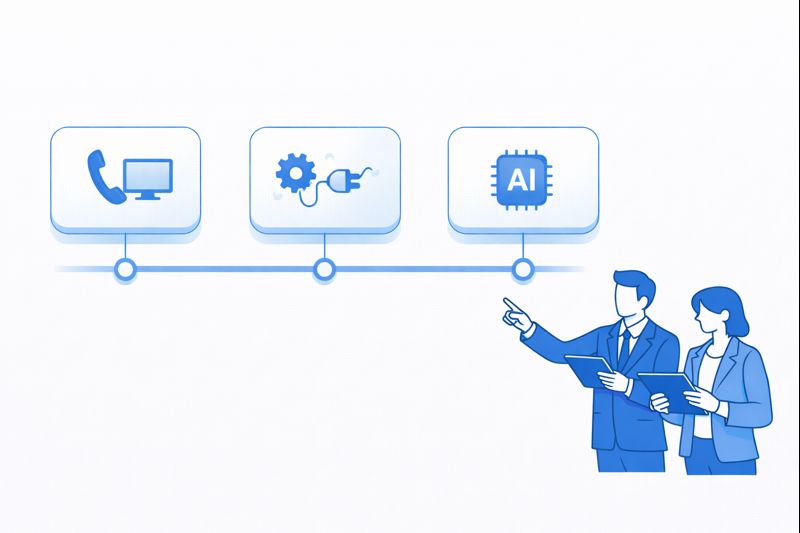
Most contact centers don’t fail because of agents or scripts. They fail because the tech stack is stitched together in the wrong order: CTI bolted on as an afterthought, CRM logging half-complete, AI tools floating above dirty data, and “integrations” that only sync once a night. A serious 2026 roadmap fixes that. It gives you a 12-month sequence that starts with reliable CTI, then builds into deep CRM workflows, and only then layers AI, QA and analytics on top. This guide lays out that path with concrete milestones, example tools and a month-by-month plan you can actually execute.
1. Where You’re Starting From: Honest Stack Assessment
Before you plan a 12-month roadmap, you need an unfiltered picture of what works today. Map four layers: telephony, CRM/helpdesk, analytics, and AI/automation. For telephony, document how many platforms you run (PBX, cloud dialer, local carriers) and where calls actually pass through. For CRM and tickets, list every system that stores customer context. Then, identify which connections are real-time CTI integrations and which are just CSV exports. Use a simple inventory template similar to the ones used in call center software integration buyer’s guides.
Next, catalogue pain, not features. Where do agents “swivel chair” between screens? Where do managers export data to Excel because reporting is broken? Which journeys have zero visibility once the call ends? This pain map will decide your integration priorities. If your biggest revenue flows run through Salesforce or HubSpot, those systems must be first-class citizens in the roadmap, not an afterthought. If your QA still samples 1% of calls manually, AI quality and analytics won’t land until logging and recording are consistent.
2. Months 1–3: Fix the Foundations With CTI and Clean Logging
The first quarter is about stability and visibility. Start by consolidating onto a single cloud contact center or telephony core wherever possible, using patterns similar to modern downtime-free cloud call center architectures. This gives you one routing brain, one source of recordings, and one place to manage queues, skills and IVR. If you still have a legacy PBX, make this the phase where you decide what stays, what’s bridged, and what gets decommissioned.
In parallel, implement proper CTI for your primary CRM or helpdesk. That means click-to-dial, screen pop with customer context, automatic call logging, and standardised disposition fields. Use checklists like those in the CRM + call center integration feature guides to define your non-negotiables. The goal by the end of Month 3: every inbound and outbound call is logged against the right contact or ticket, with disposition and recording linked, for at least one core system (e.g. Salesforce, HubSpot, Zendesk). No AI, no fancy workflows yet — just clean, reliable call data.
3. Months 4–6: Deepen CRM and Ticketing Workflows
Once CTI basics are stable, you can design real workflows. Start by mapping your top 10 call types across sales, service and collections. For each, define the ideal “after call” outcome: new opportunity, updated case, payment arrangement, KYC flag, or churn risk note. Then build CRM workflows so these outcomes are one click away from the CTI widget, inspired by high-efficiency stacks like those in Salesforce CTI comparison playbooks. The fewer clicks, the better your data quality.
Next, connect your call center to other operational systems. For support teams, that means deeper Zendesk, Freshdesk or ServiceNow integration: auto-create tickets on missed calls, route callbacks based on SLA, and surface knowledge base suggestions inside the call UI. For sales teams, sync with marketing automation, lead scoring and campaign tags, similar to integrated VOIP + CRM patterns described in VOIP handle-time reduction benchmarks. By the end of Month 6, your agents should rarely be typing free-form notes into empty text boxes — most actions should be structured fields and buttons that analytics and AI can understand.
| Month | Primary Milestone | Description | Owner |
|---|---|---|---|
| 1 | Stack inventory | Document all telephony, CRM, ticketing, QA and AI tools; map data flows and gaps. | Head of CX / IT |
| 2 | Core platform decision | Choose primary cloud contact center / PBX and decommission or bridge legacy systems. | CIO / CTO |
| 3 | CTI go-live (Phase 1) | Enable click-to-dial, screen pop and automatic logging for one CRM/helpdesk. | Telephony + CRM Admin |
| 4 | Disposition framework | Standardise call outcomes, reasons and tags across sales and support queues. | Operations Lead |
| 5 | Workflow automation (Phase 1) | Automate ticket creation, follow-ups and reminders based on dispositions. | Business Systems |
| 6 | Reporting baseline | Build core dashboards by queue, agent, disposition and journey, like modern COO analytics. | Analytics / BI |
| 7 | AI QA pilot | Deploy AI quality monitoring on 1–2 high-value queues for 100% call coverage. | QA + AI Team |
| 8 | Agent assist pilot | Test real-time guidance and knowledge suggestions on complex call types. | CX + L&D |
| 9 | Channel expansion | Integrate WhatsApp/chat/email into same routing and analytics stack. | Digital CX Lead |
| 10 | WFM integration | Connect forecasting and scheduling tools to real-time telephony and CRM data. | WFM Manager |
| 11 | CX metrics + journeys | Tie NPS, CSAT, CES into call and ticket data for end-to-end journey analytics. | Head of CX |
| 12 | Scale + governance | Roll out proven patterns to all regions; formalise change, QA and AI governance. | CX Steering Group |
4. Months 7–9: Introduce AI QA, Agent Assist and Analytics the Right Way
By Month 7, your core integrations should be stable. This is when AI actually makes sense. Start with quality monitoring: instead of sampling a tiny fraction of calls, deploy AI QA to score 100% of conversations against a clear rubric, as described in AI-first QA coverage frameworks. Focus on a few behaviours that drive business outcomes: compliance, empathy, clear next steps, and correct process usage.
Next, test real-time agent assist on complex calls: banking KYC, healthcare scheduling, or technical troubleshooting. The goal is not to replace agents, but to surface the right script, answer or next-best action at the moment of need. For this to work, your CTI and CRM integration must be tight: AI should see who the customer is, why they’re calling, and what’s in their history. Architect it the way leading stacks do in AI call center software guides, where assistance, QA and analytics run from the same transcript and event stream.
5. Months 10–12: Harden, Scale and Govern the Integrated Stack
In the final quarter, you shift from experimentation to standardisation. First, scale successful AI and workflow patterns across more queues and regions. That means defining reference designs: “this is how a fully integrated sales queue looks,” or “this is the template for healthcare scheduling journeys.” Make sure your cloud contact center, CRM and WFM tools are configured consistently, supported by the kind of global design thinking used in multi-country VOIP expansions.
Second, formalise governance. Create a small steering group (CX, IT, Risk, Operations) that owns changes to routing, integrations and AI models. Set rules for testing, rollbacks and monitoring, similar to what you’d use for high-risk dialer and compliance programs inspired by TCPA-safe dialer deployments. The outcome by Month 12: an integrated, AI-ready stack where new features and channels plug into an existing framework instead of creating new silos.
6. How This Roadmap Connects to Your Wider Stack Choices
An integration roadmap doesn’t exist in a vacuum. It should directly influence how you evaluate core platforms, dialers and PBX replacements. For example, if your 12-month plan includes moving from on-prem ACD to cloud, compare vendors using criteria similar to those in AI feature comparison guides: native CTI depth, open APIs, AI partner ecosystem, and regional coverage. If global expansion is on the table, favour platforms that support consistent dial plans and local numbers from Singapore to Saudi, as documented in cloud PBX benchmark lists.
Likewise, your integration roadmap should align with WFM, CX and compliance strategies. If you plan to track call recording regulations across GDPR, PCI, HIPAA and GCC, ensure your call center and CRM can tag, segment and retain data appropriately, following patterns in modern call recording compliance frameworks. When these pieces move together, integration work stops being “IT plumbing” and becomes the backbone of revenue, risk and customer experience decisions.
7. 90-Day Quickstart: If You Need Results Fast
If you cannot wait a full year to see value, compress the early roadmap into a 90-day quickstart while keeping the same sequence. In Days 1–30, finish the stack inventory, select your cloud contact center or PBX, and enable minimum-viable CTI for one high-value team (for example, outbound sales or banking KYC). Borrow patterns from PBX migration survival guides to minimise downtime and risk.
In Days 31–60, standardise dispositions, build basic workflows, and launch the first integrated dashboards. By Days 61–90, pilot AI QA on that same team and introduce light agent assist. The key is discipline: don’t chase shiny features or spread integrations thinly across ten systems. Win visibly in one area, capture the results, and then use that proof to fund and justify the remaining nine months of the roadmap.






