
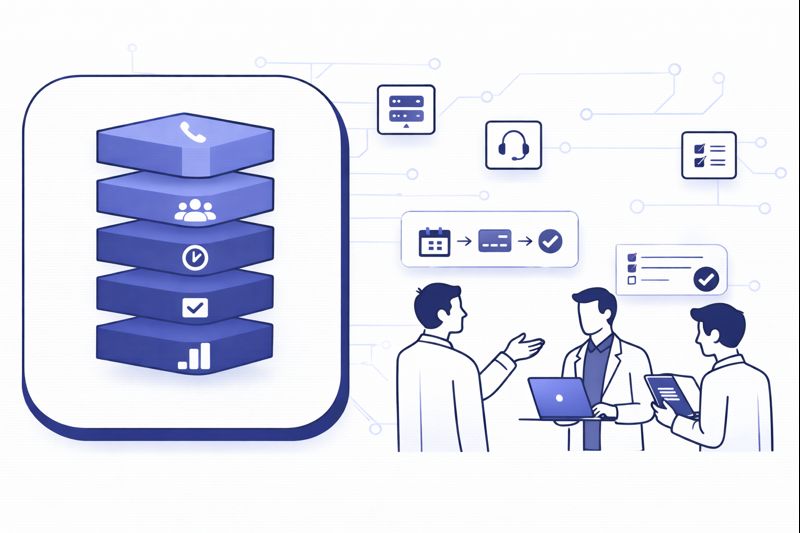
Once you cross 200 seats, a BPO call center stops being “a team with phones” and becomes a production system: multiple clients, dozens of queues, shifting SLAs, and leaders who live inside dashboards. At that scale, the software stack decides your margins, your win rate in RFPs, and how fast you can spin up new programs. This guide walks through how top outsourcers architect their stack for 200+ seats: which layers matter, how they fit together, and where cloud and AI quietly separate high margin BPOs from everyone else.
1. What a 200+ Seat BPO Actually Needs From Its Stack
For a 10 seat team, “call center software” can be a single app that dials, records, and logs calls. For a 200+ seat BPO, the stack has to solve harder problems: multi client separation, rapid program launches, predictable SLAs across time zones, and reporting that lets you defend every invoice. That is why top outsourcers think in layers: routing, telephony, CRM, WFM, QA, analytics, and AI, all connected through clean integrations instead of one monolithic box. High performing operators often start from a flexible cloud call center platform and add vertical capabilities on top.
Volume also amplifies small design mistakes. A poorly designed wrap up workflow that adds 10 seconds per call may look harmless on paper, but across hundreds of agents it burns hours per day. The same is true for routing, integration failures, and broken disposition trees. That is why BPO leaders benchmark their metrics against structured frameworks like industry efficiency scorecards and use those numbers to influence which tools get adopted, replaced, or integrated more deeply.
2. Core Telephony and Routing: The Fabric Under Every Client Program
At 200+ seats, you cannot afford fragmented telephony. Top BPOs run a cloud ACD and PBX foundation that centralises numbers, trunks, and routing while still keeping each client’s flows logically separate. Instead of tying routing to physical locations or boxes, they use a global cloud PBX and VoIP layer to host local, toll free, and international numbers in one place. That gives them the freedom to shift work between sites or add remote agents without renegotiating hardware every time.
On top of that fabric sits a cloud contact center engine that handles queues, skills, IVR, and omnichannel routing. The best implementations prioritise uptime and resilience, borrowing patterns from downtime resistant cloud call center designs: redundant carriers, health checks on trunks, and clear failover plans. For BPOs, having this foundation is what makes it possible to promise 24/7 coverage, aggressive SLAs, and fast onboarding for new clients without rebuilding the stack for each deal.
| Layer | Primary Job | What Top BPOs Use It For | Key Design Decisions |
|---|---|---|---|
| Cloud ACD / Contact Center | Route voice and digital contacts | Centralised queues, skills and SLAs for all clients | Multi tenant vs multi instance; region level failover |
| Cloud PBX / Telephony | Numbers, trunks, dial tone | Global numbers without hardware using cloud PBX patterns | Carriers per region, SIP vs legacy, redundancy |
| CRM / Case System | Store customer and ticket history | Client by client CRMs, unified CTI layer | Native CTI vs middleware; data ownership clauses |
| Dialer Engine | Outbound pacing and compliance | Separate campaigns per client; mixed predictive and preview | Operating modes and legal controls per compliance frameworks |
| WFM Platform | Forecast, schedule, track adherence | Shared WFM across programs; role based access per client | Integrations to ACD; shrinkage and multi skill modelling |
| QA and Coaching | Score calls and coach agents | Blend manual review with AI driven coverage | Adopt models like AI first QA programs |
| Analytics / BI | Aggregate metrics and trends | Per client dashboards plus BPO wide profitability views | Warehouse vs direct; real time vs batch refresh |
| AI Layer | Transcription, intent, summarisation | Support coaching, QA, routing and reporting | Central platform vs vendor specific features; language support |
| Knowledge / Scripts | Guided responses and workflows | Client specific playbooks maintained centrally | In app guidance vs external KB; AI search integration |
| Compliance and Recording | Record, mask, retain safely | Global policies with client specific overrides | Retention aligned with recording regulations |
| Client Reporting Portal | Expose results to clients | Self service dashboards and exports per program | SLA views, access control, white labelling |
| Integration Hub | Connect all the above | Single source for webhooks, ETL, and CTI connectors | Patterns drawn from integration catalogs |
| Security and Access | Roles, SSO, auditing | Client scoped roles; zero trust access for remote staff | SSO everywhere; device and IP controls |
| Omnichannel Add Ons | Chat, WhatsApp, socials | Channel mix per client; unified agent desktop | Native channels vs external connectors; data retention rules |
| Automation / RPA | Reduce manual after call tasks | Wrap up, disposition, case creation, refunds, KYC checks | Trigger design; exception handling; client approval |
3. Multi Client Design: Tenants, Queues and Data Separation
Top BPOs treat “multi client” as an architectural principle, not an afterthought. They segment queues, skills, and reporting views per client, while sharing infrastructure underneath. That starts with a contact center platform that can carve out logical tenants or business units inside one environment, inspired by the multi region patterns seen in regulated market deployments. Each client gets its own entry numbers, IVR, queues, and wallboards, but agents can be multi skilled across programs when contracts allow.
Data separation has to match this design. CRMs, ticket systems, and data warehouses must respect client boundaries even when agents share seats. Integration blueprints like CRM and call center integration checklists help you define where data is shared, where it is isolated, and how consent works across regions. For BPOs serving banking, healthcare, or GCC customers, this is not only a contractual requirement but a trust signal that wins deals against less disciplined competitors.
4. Outbound Engine: Dialers, Compliance and Revenue at Scale
At 200+ seats, outbound strategy is where BPOs either print revenue or stack legal risk. Top outsourcers run dedicated dialer engines tuned per campaign type: high volume predictive for warm follow ups, preview for regulated or high value calls, and progressive modes where agents need more context. They build campaign playbooks using patterns from revenue focused auto dialer designs and predictive dialing strategy libraries, then align dialer modes, calling windows, and retry logic with those playbooks.
Compliance is coded directly into the software. Do not rely on training alone. BPOs that survive audits and client reviews follow frameworks such as auto dialer compliance guides and TCPA proof dialing system designs: explicit consent flags, per campaign calling rules, automated suppression lists, and country specific pacing. This lets sales teams push volume without exposing the whole operation to fines or reputation damage.
5. WFM, QA, and AI Coaching: Protecting Margins and SLAs
Once you hit 200 seats, capacity planning becomes as important as routing. Workforce teams need clean data to forecast volumes, shrinkage, and staffing per client, which is why high performers pipe ACD and dialer data into WFM and BI tools in near real time. They often align their scorecards with structures from benchmark driven metric sets, then use those metrics to size schedules and negotiate SOWs. The goal is to stop over staffing “just in case” and instead use analytics to justify headcount and buffers.
In QA, 1–2% sampling is no longer enough. Leading BPOs shift to AI augmented QA that automatically scores or at least pre screens every conversation, then pushes edge cases to human analysts. That model mirrors what’s described in AI first QA transformation guides and full coverage quality monitoring playbooks. Real time AI coaching tools then sit on top, offering hints, next best actions, and objection handling while the call is still live, similar to the coaching layer in real time agent assist platforms.
6. AI and Integrations: Making 200 Seats Feel Like 400
For BPOs, AI is not about replacing agents; it is about making each agent more productive. The most impactful wins come from reducing non talk time: automated summaries, tagging, and case creation; better search over knowledge bases; and guided flows that keep agents from hunting for scripts. These gains mirror the cost reductions documented in AI toolkits that cut labour hours, where a few minutes saved per contact translate into huge savings at 200+ seats.
Integrations are what make AI and automation stick. Top BPOs map their integration priorities instead of letting them grow organically. They lean on curated lists such as high ROI integration catalogs to decide which systems must be connected bi directionally (CRM, ticketing, billing) and which can be handled via exports. Consistent patterns here mean that every new client can be onboarded faster because the pipelines already exist; only the details change.
7. Implementation Pattern: Growing From 50 to 200+ Seats Without Chaos
The cleanest 200 seat BPO stacks almost never start at 200. They begin as 30–50 seat operations that modernise early, then scale up without rebuilding everything. The pattern is consistent: choose a flexible cloud platform, design the base stack properly, then add clients and agents in waves. They borrow techniques from CIO focused migration playbooks to avoid “big bang” transitions that threaten all programs at once.
Each growth step is paired with a stack improvement: adding WFM once you cross 60–80 agents, AI QA once you cross 100, deeper BI and cost allocation once you cross 150. Lessons from high velocity BPO hubs such as those described in Philippines BPO optimisation guides are useful here. The mindset is simple: never add 50 more seats without asking how your software stack will keep them efficient, compliant, and measurable.
8. FAQ: Building a 200+ Seat BPO Call Center Stack
What is the minimum viable stack for a 200 seat BPO?
How should we handle different clients’ preferred CRMs and tools?
Where does AI deliver the fastest ROI in a 200 seat BPO?
How can we prove to clients that our stack is “enterprise grade”?
We’re at 80 seats today. When should we invest in this full stack?
A 200+ seat BPO lives or dies on its software stack. When routing, telephony, WFM, QA, analytics, and AI act as one system, adding new clients and programs becomes a repeatable motion instead of a reinvention. Design for that reality early and your operation can scale without burning out agents, missing SLAs, or watching margins quietly disappear into complexity.






