

Most buyers discover very quickly that “price per agent” is only the visible tip of the bill. Real call center software pricing in 2026 is a mix of per-seat licenses, per-minute voice, AI features, storage, support, and “optional” add-ons that quietly become mandatory once you go live. Get that wrong, and a platform that looked cheap at 20 seats becomes unprofitable at 200. This guide breaks down every major pricing component — per seat, minutes, AI, integrations, and compliance — so you can predict your 3-year cost curve instead of guessing. The goal: help you build an accurate budget, compare vendors on fair terms, and avoid the hidden fees that quietly erode your margins.
1. Why Call Center Software Pricing Is So Confusing in 2026
Vendors rarely sell “just software” anymore. You’re buying a bundle of routing, reporting, telephony, storage, and AI that can be priced in five different ways across three different contracts. One platform might quote a low per-agent fee but push up your total bill through premium routing features and expensive AI minutes, while another looks higher on paper but includes routing, advanced reporting, and quality monitoring out of the box, similar to full-stack cloud call center platforms. The confusion gets worse when finance compares quotes without normalizing what’s actually included.
To cut through this, treat pricing as a system, not a sticker. Break your total cost into predictable base layers (seats, telephony, support) and variable layers (AI, storage, integrations). For each vendor, map which features live in which layer. When you can put those side by side in a spreadsheet, the “cheap but limited” options and the “expensive but complete” ones become obvious in minutes.
2. Core Pricing Models: Per Seat, Per Minute, Per Interaction
Nearly every contact center platform mixes three models. The first is per seat pricing: a flat fee per named or concurrent agent per month. Seats usually unlock access to the core platform — queues, IVR, routing, and dashboards — similar to how modern cloud contact center suites package their base license. The upside is predictability. The catch is that unused seats quietly drain budget if you over-hire or underutilize.
The second model is usage-based voice, typically per minute. Carriers price inbound, outbound, toll-free, and international differently, sometimes with separate recording charges. This is where routing quality and answer rates matter, because every misrouted or abandoned call burns paid minutes. A third layer is per interaction pricing for chat, email, or messaging. For digital-heavy operations, this can be cheaper than voice — but only if the platform routes and resolves efficiently, like setups optimized for high-volume, low-failure traffic.
3. AI, Automation, and the New Pricing “Tax”
AI is where 2026 pricing quietly spikes. Most platforms now offer real-time assist, transcription, summaries, and AI QA, but each of those layers can be billed separately. Before you sign, map which AI features you truly need in year one. If your priority is labor efficiency, start with the small set of AI tools that demonstrably cut agent hours, like auto-logging, suggested responses, and auto-dispositioning. Leave advanced analytics experiments for phase two.
Also watch for double-charging. Some CRMs charge for AI logging and summaries, while your contact center vendor charges for similar functionality on the voice side. Decide where that intelligence should live. A platform that combines routing, AI coaching, and analytics natively — rather than duct-taping multiple tools — usually wins on both cost and control, similar to integrated stacks built around real-time agent coaching.
4. Building a Realistic 10 / 50 / 200-Seat Budget
Instead of asking “What’s your price per seat?”, ask “What would 10, 50, and 200 productive seats cost us over three years?” Start by modeling three scenarios. At 10 seats, you’re validating fit, so prioritize low implementation cost and quick routing setup. At 50 seats, focus on reporting depth and stable uptime, matching the resilience patterns used in zero-downtime architectures. At 200 seats, workforce management, QA, and automation become as important as the core dial tone.
For each scenario, estimate: base licenses; average monthly voice in your target geographies; AI usage (minutes or calls processed); recording storage under your retention policy; and vendor support. Use historical volumes if you have them; if not, start with conservative assumptions and revisit quarterly. This turns negotiation from “Can you discount 20%?” into “Here’s our three-year volume picture; how can we structure this so your unit economics and ours both work?”
5. Pricing Models by Use Case: Sales, Support, and BPO
Sales-heavy teams live on outbound and dial attempts, so their biggest line items are outbound minutes and compliance-safe dialing automation. Platforms tuned for predictive or power dialing — like those built around high-revenue dialer designs — can make slightly higher software costs worth it if they improve connect rates and conversions. Inbound support teams, by contrast, care more about IVR containment, self-service, and first-contact resolution, where seat and AI pricing matter more than sheer dial volume.
BPOs add another layer: revenue per seat versus cost per seat. Their pricing must absorb client demands for 24/7 coverage, multi-region numbers, and intricate routing, while still leaving margin. That’s where choosing the right combination of per seat, per minute, and AI add-ons really determines profitability. A BPO that buys bloated feature bundles it never uses will find itself undercut by leaner competitors running focused platforms similar to ROI-ranked feature stacks.
6. Hidden Costs Buyers Miss (and How to Expose Them)
Hidden costs rarely appear on the pricing page. They live in the fine print: minimum commitments, overage rates, mandatory premium support tiers for 24/7 coverage, and charges for features that sound optional but are operationally non-negotiable. For example, if you operate in regulated markets, compliance-grade recording, encryption, and data residency are not “nice to have” — they are table stakes, similar to what’s required in heavily regulated Canadian deployments. If those sit in higher-priced editions, your real cost is that edition, not the entry plan.
Implementation and migration are another blind spot. Moving off a legacy PBX or older platform often requires careful coexistence, number porting, and staggered cutovers, like the journeys described in modern PBX migration guides. If you underestimate those services, you’ll either overrun budget or end up with a half-migrated stack that doubles your monthly spend while both systems run in parallel.
7. Negotiation Levers: How to Get a Fair Price Without Killing the Relationship
Vendors expect negotiation, but the best discounts go to buyers who think like partners, not hagglers. Come to the table with a clear forecast: expected seat ramp, regions, channels, and your automation roadmap. Show how you plan to grow usage over 24–36 months. Then negotiate on structure, not only on unit price. For example, ask for lower per-seat fees in exchange for a firm ramp schedule, or for AI bundles to be flexible between transcription and QA as you evolve toward full AI quality coverage.
Push for clarity on breakage points: what happens if you exceed your minute bundles; how overages are billed; and how quickly you can downgrade seats if your headcount changes. Negotiate implementation milestones and acceptance criteria so you only release payment when routing, reporting, and integrations behave as promised. The more concrete your success definition, the easier it is to protect your budget and still build a long-term relationship.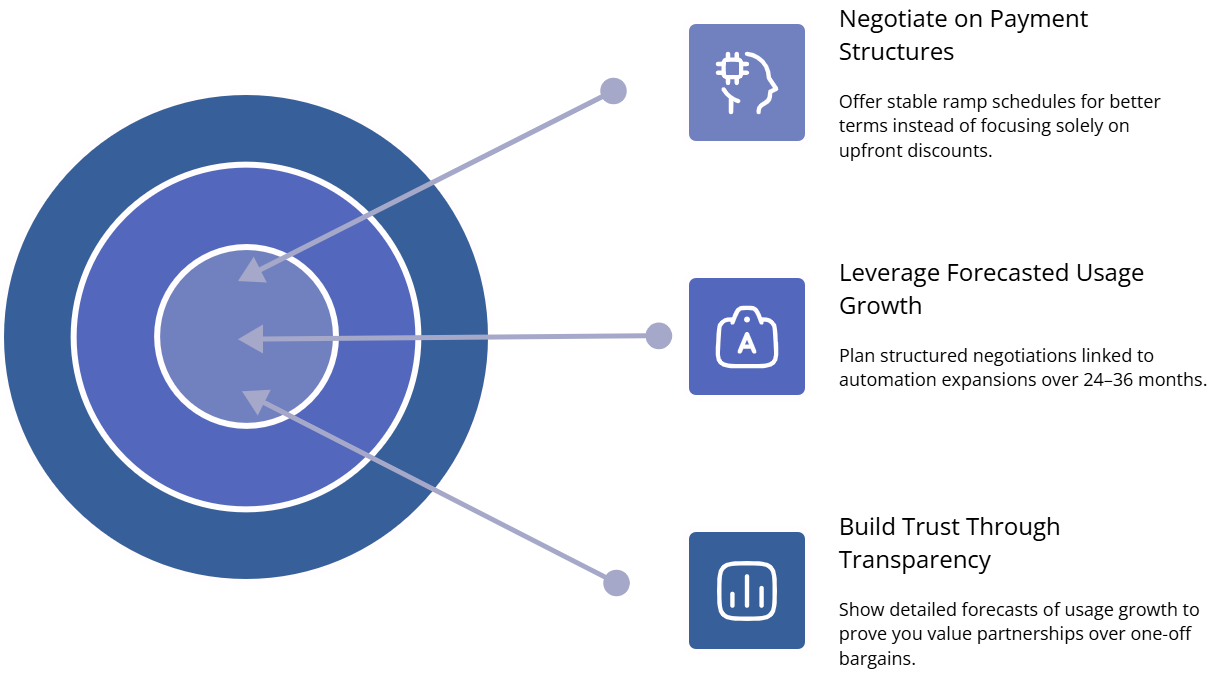
8. Comparing Quotes Across Vendors Without Getting Lost
Raw quotes are impossible to compare until you normalize them. Build one evaluation sheet with standard columns: seat count, regions, channels, core features, AI modules, telephony, implementation, and support. For each vendor, calculate total annual cost and three-year TCO in each of your scenarios. When you put a high-end omnichannel suite next to a focused cloud PBX solution like global VoIP-first platforms, you’ll see exactly where the gap comes from.
Then overlay qualitative factors: reliability track record, roadmap, integration ecosystem, and how well the product fits your existing stack. A slightly more expensive vendor may be cheaper in practice if they plug cleanly into your CRM, WFM, and analytics tools the way modern high-ROI integration libraries do. Your final decision matrix should make it obvious which option is “cheap but risky,” which is “expensive but overkill,” and which is “right-sized for where we’re going in three years.”






