

Most teams bolt a softphone into HubSpot and call it “CTI integration.” It works for click-to-dial, logs some calls, and then quietly becomes another tool agents fight with. A real 2026 HubSpot CTI playbook does something very different: it turns calls into pipeline, call outcomes into clean attribution, and every answered ring into a routing decision based on value, intent, and SLA risk. This guide walks you through how to design HubSpot CTI as an actual revenue and CX engine – from initial architecture to AI coaching – so your telephony stack stops living outside your CRM and starts powering it.
1. Define Your HubSpot CTI Outcomes Before You Touch Settings
HubSpot gives you flexible objects, pipelines, and workflows – but CTI will only pay off if you decide what “success” looks like in numbers. Start by writing down three to five non-negotiable outcomes: for example, “increase qualified demo conversions from inbound calls by 8%,” “halve the time it takes SDRs to call new MQLs,” or “log 95% of conversations with accurate outcomes.” Tie each outcome to a KPI inside HubSpot so you can see, in reports, if CTI is doing its job.
Next, frame CTI as part of a broader contact center architecture, not a one-off plugin. Your voice layer should look more like a modern cloud call center platform tightly coupled with CRM than an isolated phone system. That means thinking ahead about routing, call recording, queues, user permissions, and analytics as shared services that HubSpot simply becomes the front-end for.
2. Map HubSpot Objects to Call Journeys, Not Just Phone Fields
A strong integration starts with a clean data model. Every inbound or outbound call needs to anchor to the right HubSpot object: contact, company, deal, ticket, or some combination. Begin by documenting your most common call types – inbound support, SDR outbound, AE follow-ups, renewals, collections – and decide which object is primary for each. For outbound SDR calls, the deal or contact may lead; for support, the ticket is the core entity, similar to how advanced CTI integrations map calls into multiple systems.
Then define which fields must be populated automatically: direction, duration, queue, agent, recording link, and outcome. Store them consistently in call activities and, where useful, mirror them into custom properties on deals or tickets. This is what lets you segment later by “deals with at least two conversations in the last seven days” or “tickets with calls but no resolution within 24 hours.”
3. Build a Pipeline-First HubSpot CTI Configuration
Most CTI setups treat calls as disconnected activities. A pipeline-first configuration makes the call the trigger that moves deals forward. Start by standardising how call outcomes relate to deal stages. For example, “qualified discovery call” automatically moves a deal out of “New” into “Qualified,” while “no show” pushes it into a follow-up stage with tasks. You can borrow logic from HubSpot-focused routing and coaching guides to ensure call data always translates into stage movement rather than dead-end notes.
Next, implement sequences and workflows that react to call events: missed calls create tasks and emails, connected calls that hit specific outcomes launch nurture flows, and high-value calls with negative sentiment automatically alert managers. The goal is to make pipeline health visible and responsive to voice signals in real time, not just form submissions or emails.
4. Lead Routing and Queue Design: From Round Robin to Predictive
Routing is where HubSpot CTI can win or lose you revenue. Start with simple rules grounded in the CRM: territory, industry, company size, or lifecycle stage. Then evolve toward value-based routing, where deal size, engagement score, or partner source influence who answers the call. Use your telephony platform to enforce queue priorities, referencing patterns from predictive routing architectures that push critical conversations to your best reps.
On the inbound side, design numbers and IVRs that map cleanly into HubSpot properties: each phone line can set a campaign, lifecycle hint, or “reason for calling.” For outbound, build queues that reflect specific motions – net new, upsell, win-back – and monitor connect rate, talk time, and conversion across them. Over time, feed call results into a scoring model so high-intent leads jump to the front of the line automatically.
5. Attribution, Reporting, and “Calls to Revenue” Visibility
Proper attribution is what separates a cosmetic CTI integration from a strategic one. Make sure calls are tied to campaigns, deals, and lifecycle changes, not just contacts. When a call books a meeting, creates a deal, moves a stage, or rescues a churn-risk account, that relationship should be explicit in HubSpot. You can mirror the discipline you’d use in call center metrics frameworks by defining a small, stable set of voice KPIs that always appear on your dashboards.
At minimum, track: calls per stage, calls per closed-won, revenue influenced by calls, talk time per rep, connect rate per list, and win rate for deals with at least one conversation logged. Use HubSpot’s custom reports to combine call data with email, meetings, and web activity, and treat “no calls logged” in late-stage deals as a red-flag condition that triggers alerts or reviews.
6. Real-Time AI Coaching and Handle-Time Reduction Inside HubSpot
Once the basics are stable, AI is how you scale coaching and consistency without scaling headcount at the same rate. Start with real-time agent assist: prompts that surface relevant knowledge, objection handling, or next-best actions inside the call UI as the conversation unfolds. Look for tooling that mirrors the behaviour of true real-time coaching engines, not just after-call summaries.
Then, use AI to summarise calls, tag themes, and push structured notes into HubSpot activities. When combined with tight CTI logging, this makes every call discoverable by topic, competitor, feature, or objection. Layer automatic QA scoring across 100% of calls using approaches similar to AI-first quality monitoring, and you’ll know which reps need help – and which calls to listen to – without relying only on random sampling.
7. Cost, Productivity, and Routing Gains: Making the Business Case
A strong HubSpot CTI integration should pay for itself in three ways: more revenue per rep, lower labour cost per conversation, and better utilisation of expensive leadership time. By combining AI summaries, automated logging, and efficient routing, you can cut the non-talk portion of each interaction dramatically, similar to how modern VoIP-CRM integrations reduce handle time. That lets reps fit more high-quality conversations into each day without burning out.
At the same time, AI-assisted QA and analytics reduce the manual hours spent reviewing calls, allowing QA teams to focus on coaching instead of basic scoring. Combined with predictive routing and smarter queues, you get more revenue from the same seats – the same pattern you see in AI-driven cost reduction case studies. Capture these wins in a simple before-and-after model so finance and leadership understand exactly why CTI is not “just another plugin.”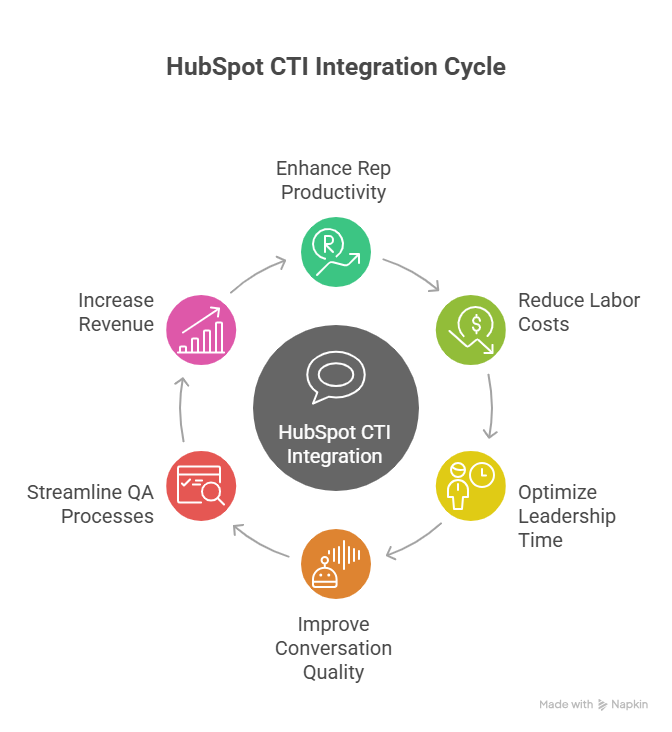
8. Implementation Roadmap: 90 Days from Plugin to Playbook
Day 1–30: align stakeholders, define outcomes, and clean your HubSpot data model. Decide which teams are in scope, which objects own which call journeys, and what your disposition framework looks like. In parallel, validate that your telephony platform can deliver the reliability and routing you need by referencing patterns from always-on cloud voice deployments. Avoid over-configuring; the goal is a stable, simple pilot.
Day 31–60: build and run your first CTI pilot on a single team. Implement the core use cases from the table above, configure queues, define call outcomes, and roll out clear agent training. Use AI summaries and logging, but keep QA simple until you trust the data. During this phase, monitor latency, logging accuracy, and basic metrics every day, just as you would when testing a new global telephony footprint.
Day 61–90: scale to additional teams, refine routing rules, and start formalising AI QA and coaching. Create standard dashboards for leaders and reps, document your CTI configuration, and establish a quarterly review cadence. By the end of this window, calls in HubSpot should feel like a native part of how you manage pipeline and customers – not a bolted-on dialer.






