
Top 50 Salesforce CTI Integrations Compared (Speed, AI, Compliance)

Salesforce CTI is where “just another call center” quietly turns into a revenue engine. When your phone system, Salesforce objects, AI layer, and compliance
call center software integrations sales force image

Salesforce CTI is where “just another call center” quietly turns into a revenue engine. When your phone system, Salesforce objects, AI layer, and compliance rules all speak the same language, reps don’t waste time retyping notes, supervisors don’t beg for visibility, and legal doesn’t panic every time marketing wants to test a new outbound motion. This guide breaks down how to compare Salesforce CTI options in 2025 and walks through 50 Salesforce CTI integration patterns ranked across speed, AI depth, and compliance control so you can design a stack that behaves like an enterprise platform from day one.

1. Why Salesforce CTI Decides Whether Your Stack Actually Scales

For most B2B organizations, Salesforce is the source of truth for revenue, customers, and pipeline. Your CTI layer is the nervous system that connects live conversations to that truth. If it’s done right, every inbound call surfaces full account context, every outbound attempt is targeted and compliant, and every outcome flows back into reports that actually reflect reality. That’s what you see in mature cloud call center solutions that treat CTI as foundational instead of as a side project owned by “whoever has spare time in IT.”

Done badly, CTI is just a click-to-dial plugin. Reps still take notes in Notepad, opportunities aren’t updated, and AI tools have nothing clean to train on. The result is a Salesforce org that looks busy but can’t answer basic questions like: which talk tracks convert, which campaigns generate profitable calls, or which territories are saturating their lists. That’s why the same teams that obsess over call center efficiency benchmarks are increasingly treating Salesforce CTI design as a strategic decision, not a checkbox item.

2. The Comparison Framework: Speed, AI Depth, and Compliance-by-Design

Before you ever look at a vendor logo, you need a lens for comparison. In 2025, the simplest and most honest framework is threefold: speed, AI depth, and compliance-by-design. Speed is not just dialer pacing; it’s how fast a rep can go from “ringing” to “logged outcome with next step created.” AI depth measures how well the CTI layer captures transcripts, summaries, intent, and sentiment and pushes that back into Salesforce in ways that help humans, similar to the way real-time coaching stacks overlay guidance on top of calls.

Compliance-by-design is where many CTI projects quietly die. If your Salesforce CTI doesn’t understand consent, channel preferences, suppression lists, or regional rules, you’ve essentially built a liability machine on top of your CRM. Mature outbound setups borrow discipline from TCPA-focused dialer designs and wire those rules directly into Salesforce fields and flows. That way, an eager SDR can’t simply brute-force their way into non-compliant call volumes by bypassing process.

Top 50 Salesforce CTI Integrations Compared — Speed, AI, Compliance Lens

“““

# Integration Pattern Speed Impact AI Depth Compliance & Control
1 Click-to-dial + screen pop from Salesforce records Eliminates manual dialing; reps place more calls per hour. Minimal by itself; sets the foundation for richer AI later. Centralizes all activity on the correct Lead/Contact.
2 Automatic call logging to Activities with disposition Removes post-call admin; shrinks wrap-up time. Creates labeled data for AI scoring and coaching models. Ensures audit trails exist for every interaction.
3 Inbound CTI screen pop based on ANI + account match Agents start calls already “inside” the right account. Context-rich inputs for real-time guidance engines. Reduces mis-authentication and misrouting risks.
4 Case creation from IVR path + Salesforce routing rules Cuts handle time by skipping manual intake steps. Structured case data feeds better deflection models. Makes SLA promises trackable in a single system.
5 Salesforce Omni-Channel presence synced with CTI status Prevents double-booking across phone, chat, email. Lets AI orchestrate channel mix with real capacity data. Stops cross-channel over-contacting of the same person.
6 Call outcomes driving Opportunity stage updates Removes extra clicks to maintain pipeline hygiene. Links talk tracks to stage-conversion predictions. Improves forecast reliability for revenue teams.
7 AI call summarization mapped into Activity descriptions Saves 1–3 minutes per call on note-taking. Creates machine-readable histories sampled at scale. Standardized summaries support better dispute handling.
8 Real-time agent assist panel inside Salesforce console Improves first-call resolution and shrinks escalations. Consuming live transcript/intent to surface next-best actions. Can prompt mandatory compliance language in real time.
9 Transcripts attached to Calls and Cases via files Speeds up follow-ups and handovers between teams. Raw material for AI QA, coaching, and VOC analysis. Creates defensible, searchable records for audits.
10 Sentiment scores written to custom fields on records Lets reps prioritize callbacks for “red” accounts. Enables churn/health models beyond NPS and CSAT. Flags at-risk customers for proactive retention outreach.
11 Lead scoring models driving outbound CTI queue priority Pushes reps toward highest-propensity leads first. Uses AI scores directly in routing decisions. Reduces spammy behavior by capping low-score attempts.
12 Account tiers → skills-based routing in the dialer Shortens resolution time for strategic customers. Teaches AI which behaviors work for high-value cohorts. Supports differentiated SLAs documented in contracts.
13 Predictive dialing lists sourced from Salesforce campaigns Keeps dialer focused on current, segmented data. Campaign tags add context for AI call scoring engines. List governance remains inside Salesforce processes.
14 Do-Not-Call and consent flags enforced at CTI level Prevents wasted dials on prohibited numbers. Models learn only from compliant contact attempts. Core protection against TCPA/GDPR style penalties.
15 Region/time zone fields → local-time dialing rules Boosts answer rates by calling at sane hours. Improves AI predictions of optimal reach times. Supports jurisdiction-based contact window compliance.
16 Campaign attribution tags on Activities for every call Lets marketing see which call blitzes pay off fastest. Feeds multi-touch attribution and LTV models. Clarifies which campaigns justify higher-risk outreach.
17 Case priority → real-time queue priority in CTI Routes “P1” issues to the front of the line automatically. Labels edge cases where automation should never deflect. Ensures SLA-critical cases are provably prioritized.
18 Knowledge articles surfaced in-call based on entity + intent Reduces hold time while agents “go check.” Uses models trained on historic successful resolutions. Standardizes compliant language for sensitive topics.
19 Einstein or external AI writing follow-up tasks Shrinks the gap between call end and real next steps. Learns which follow-ups close loops fastest. Documents responsibilities clearly for regulated teams.
20 Salesforce Omni-Supervisor dashboards fed by CTI stats Leaders act faster on live queue and agent data. Great training set for forecasting and staffing AI. Supports evidence-based WFM and policy tuning.
21 Call recording links on Opportunities and Cases Shortens investigation and escalation cycles. Anchors QA and coaching annotations on real audio. Essential for disputes in finance/healthcare verticals.
22 AI QA scores written to custom CTI QA objects Lets supervisors triage reviews instead of random sampling. Learns from both human QA and outcomes over time. Helps prove control over mis-selling and script adherence.
23 Territory models → inbound routing by owner or region Customers reach the right person on the first try. Improves models that predict success by territory mix. Aligns routing with agreed regional responsibilities.
24 Multi-site CTI connected to Salesforce single org Lets global teams behave like one virtual center. Compares behavior and outcomes across regions for AI. Supports data residency and segregation by site if needed.
25 Voice channel added to Salesforce Digital Engagement Agents switch channels without losing the thread. Unified transcript history for multi-channel AI analysis. Single place to apply consent/preferences policies.
26 Service Level (SLA) objects linked to live CTI stats Supervisors catch SLA threats before breaches. Feeds predictive “breach risk” models in real time. Creates provable evidence for enterprise clients.
27 Sales playbooks surfaced in-call via Salesforce paths New reps act like veterans faster. Captures sequence-of-steps data for optimization. Ensures regulated disclosures always appear in flows.
28 Callbacks booked as Salesforce Tasks with CTI reminders Reduces no-show follow-ups and missed promises. Trainable as a pattern: promises vs kept commitments. Demonstrates fair treatment in complaints and reviews.
29 Einstein Next Best Action triggered from call context Faster cross-sell/upsell during live conversations. Combines call and CRM data into decisions. Can encode product eligibility and suitability rules.
30 Health scores updated after each support interaction Gives CSMs live risk view instead of monthly lag. Perfect input to churn prediction AI. Underpins proactive “save” programs with proof.
31 IVR self-service flows updating Salesforce objects Deflects simple calls so agents focus on complex ones. AI learns which intents should stay fully self-serve. Ensures customer actions are recorded for audit.
32 Campaign member statuses updated from call outcomes Keeps nurture and call tactics aligned. Enables models that choose best channel per contact. Supports suppression of fatigued prospects.
33 Workforce data (schedule, shrinkage) pulled into CTI Dialer respects real capacity, reducing bottlenecks. Better training data for staffing predictions. Helps avoid understaffing breaches for contracted SLAs.
34 Multi-region CTI trunks mapped to Salesforce regions Improves audio quality and reduces call drops. Shows AI how behavior differs by geography. Supports data residency and sovereign-cloud strategies.
35 Salesforce bots handing off to live CTI with transcript Agents get a “pre-brief” instead of starting from zero. Bot and human models both learn from each other’s gaps. Makes it easier to prove bots didn’t mislead users.
36 Customer journeys tracked with call touchpoints as nodes Lets teams see where calls accelerate deals. Key input for AI-optimised journey orchestration. Evidence that contact strategy treats segments fairly.
37 Integration with external PBX routed back into Salesforce Protects existing PBX investments while modernising CX. Lets AI see on-prem and cloud calls in one data lake. Critical for staged PBX migration strategies.
38 Customer satisfaction surveys triggered from call close Faster feedback loops for frontline teams. Combines CSAT with language usage for coaching AI. Supports “fair treatment” evidence in regulated sectors.
39 AI-powered “reason for call” auto-tag into Case fields Saves manual categorisation time every call. Makes trend detection and forecasting far more precise. Improves transparency on complaint categories.
40 Field-level encryption for sensitive transcript segments Adds negligible speed penalty when architected well. Allows safe training on non-sensitive parts only. Essential for PCI/health data compliance.
41 Supervisor whisper/barge controls inside Salesforce UI Coaching happens in the flow of work, not later. Provides examples of “save moments” for AI models. Supports documented oversight in sensitive teams.
42 Einstein or external AI-powered QA dashboards in Salesforce Supervisors review high-risk calls first. Summarises complex call patterns into simple signals. Helps demonstrate continuous control enhancements.
43 Salesforce Flows orchestrating pre-call research steps Reduces time agents spend “prepping” each call. Flow data shows which prep actually matters. Standardises what’s checked before sensitive outreach.
44 “One-click” escalation buttons opening routed Cases Shrinks the gap between problem and specialist help. Feeds AI with escalation vs self-resolve boundaries. Creates traceable escalation chains for regulators.
45 Outbound approvals workflow for sensitive campaigns Avoids slow, ad-hoc legal reviews for each list. Captures metadata that improves risk models. Documents who approved what, when, and why.
46 Geo-routing for multi-country Salesforce orgs Connects callers to local-language teams fast. AI adapts scripts and tone per region. Respects in-country handling requirements.
47 Integration with Salesforce Surveys for post-call flows Automates feedback capture at scale. Rich input for models predicting satisfaction. Stronger evidence base for customer duty regulations.
48 Custom Salesforce objects for “Interaction Episodes” Bundles multi-call threads into one narrative. Ideal unit for training AI on journeys, not single calls. Supports holistic complaint and outcome analysis.
49 Data lake exports combining CTI + Salesforce data Heavy analysis doesn’t slow operational orgs. Central home for advanced AI experimentation. Helps segregate PII from analytical workloads.
50 Disaster recovery CTI integration tested with sandbox org Keeps your team live during platform incidents. Maintains continuous data streams for AI models. Critical for uptime expectations like in zero-downtime architectures.
You don’t need all 50. Most high-performing teams implement 10–15 of these patterns first, then add more once they prove measurable gains in speed, AI insight, and compliance comfort.

3. Architecture Patterns of High-Performing Salesforce CTI Stacks

The best Salesforce CTI setups look remarkably similar under the hood, even if the vendors differ. They start with a resilient cloud telephony core — something architected more like a global cloud PBX + VoIP backbone than a single-region PBX — and put the CTI connector on top as a translation layer between voice events and Salesforce objects. That connector is event-driven: call start, IVR choice, agent join, hold, wrap, and summary all trigger small, predictable updates in Salesforce.

On the AI side, the pattern mirrors modern “from SIP to AI” transitions described in telephony evolution roadmaps. Raw audio and metadata stream into a processing layer that handles transcription, PII redaction, topic tagging, and scoring. Only after that do summaries, intent labels, and risk flags land in Salesforce fields. This separation keeps the org lean and responsive while still giving AI a rich feed for coaching, QA, and forecasting.

Salesforce CTI Insights: Where Stacks Quietly Win or Lose
Half-integrated CTI (click-to-dial only) is still the norm. It looks good in demos but leaves reps typing.
Speed comes less from predictive pacing and more from cutting dead admin time per call.
AI features only pay off when summaries and scores land in fields reps and managers actually use.
The stacks that look like serious enterprise call centers keep the CTI layer thin and the Salesforce data model clean.
Compliance becomes far easier when DNC, consent, and channel preferences live in Salesforce and are enforced by CTI.
Routing is the secret multiplier. Aligning Salesforce tiers and regions with skills queues drives the same lift you see with predictive routing.
Reporting is where many projects die. If leaders can’t answer “which talk tracks win?” the CTI project isn’t finished.
High performers treat Salesforce CTI as the anchor for multi-region setups, similar to how global orgs scale across 50+ countries in remote voice architectures.
Use this panel as a checklist. If your Salesforce CTI “feels” underwhelming, the gap is usually in routing, enforcement of rules, or where AI outputs actually land.

4. Implementation Playbook: From “We Installed the Package” to Real Gains

The biggest lie in Salesforce CTI is that installing a managed package equals success. In reality, teams that get measurable results treat CTI like a phased rollout, similar in discipline to those used in high-availability cloud call centers. Phase one: nail the basics — click-to-dial, screen pop, call logging, and DNC enforcement. Phase two: wire call outcomes into Opportunities, Cases, and Campaign Members so Salesforce becomes the control tower. Phase three: add AI summaries, sentiment, and QA scoring where they help humans first, then push into forecasting and journey models.

Each phase needs a small pilot group, clear success metrics, and a rollback option. For speed, measure average handle and wrap time. For AI, measure note quality, coaching effectiveness, or contact strategy improvements. For compliance, measure how often lists, consent, or dialing windows are violated before and after CTI enforcement, borrowing rigor from TCPA-conscious US outbound setups. Only once a phase hits its targets do you roll it across more regions or teams.

5. Common Failure Modes (And How to Avoid Them)

Most Salesforce CTI failures are boringly predictable. One is data chaos: reps log calls against the wrong objects, or AI writes summaries into fields nobody reads. Another is over-automation: leaders fall in love with predictive pacing, but lists are old, consent is unclear, and coaching never happens. You see the same symptoms in dialer-heavy teams that never internalized the lessons from AI-powered sales acceleration engines — a lot of motion, not a lot of progress.

A third failure mode is ignoring regions and industries. A template that works for a US SaaS outbound pod may backfire in GCC banking or EU healthcare. When you design CTI with Salesforce at the center, treat regional compliance and vertical use cases the way you would in location-specific deployments like India-focused call center builds or Philippines BPO centers. That means explicit fields for consent, preferred language, risk category, and handling rules per segment — and CTI that respects those fields.

6. Where ActiveCalls-Style Salesforce CTI Fits In

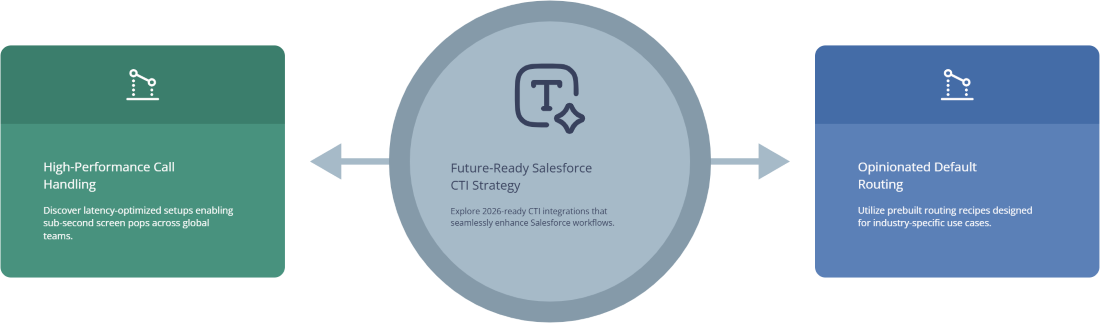
A modern CTI provider that understands Salesforce deeply won’t just ship a connector and leave. It will ship opinionated defaults that map nicely to Salesforce data models and AI workflows. Think: prebuilt routing recipes for different industries, sensible logging behaviors aligned with ROI-ranked feature sets, and baked-in support for remote agents across multiple regions. Architecturally, it will behave like the scalable, low-latency setups described in zero-downtime voice architectures, not like a legacy PBX patched into Salesforce as an afterthought.

If you’re evaluating Salesforce CTI options, use the 50-pattern table above as a checklist. Any provider serious about Salesforce should be able to either support these patterns natively or clearly show how to build them with configuration, not a year-long custom project. If they can’t talk credibly about DNC controls, AI outputs mapped into fields, and routing logic driven by record data, you’re not looking at a 2025-ready CTI stack — you’re looking at a browser softphone that happens to live next to Salesforce tabs.
7. Salesforce CTI FAQs (Speed, AI, Compliance)

1) How is Salesforce CTI different from “just using a dialer and logging calls later”?

With a standalone dialer, Salesforce sees phone work as an afterthought — often delayed and incomplete. With proper CTI, Salesforce becomes the system of record for every live interaction. Call events update Leads, Contacts, Cases, and Opportunities in real time; routing respects territories and tiers; and AI can reason over complete histories. The difference in speed and clarity is similar to the jump teams experience when they move from on-prem hardware to a fully integrated cloud contact center built to prevent churn.

2) Where does AI add real value in Salesforce CTI — and where is it just noise?

AI adds real value where it removes manual work or improves decisions inside Salesforce. Summaries typed into Activity descriptions, intent tags on Cases, sentiment on Accounts, and QA scores that route supervisors to the right calls — those are tangible. “AI dashboards” that live in a separate tool rarely change behavior. The most useful patterns look like the AI-first QA and coaching setups in AI QA blueprints, but wired directly into standard Salesforce pages so reps and leaders can act on them.

3) How do we keep Salesforce CTI compliant in multi-region deployments?

Treat regions as first-class citizens in your data model. Store consent, preferred channel, time zone, and regulatory flags directly on records; keep dialing rules in flows or configuration, not in rep memories; and choose a CTI platform with a track record in regulated environments like GDPR-heavy UK operations. For outbound, borrow discipline from compliance-focused auto dialer designs and enforce DNC, pacing, and contact windows at the platform level, not via “please remember” training slides.

4) We’re already deep into Salesforce. Is it worth rethinking CTI now?

Yes — especially if phone work feels disconnected from pipeline, renewals, or product feedback. Many teams modernize telephony as part of broader PBX and VoIP migrations, similar to how they move from legacy hardware into modern PBX migration roadmaps. Because Salesforce is already your system of record, improving CTI has an outsized return: every call suddenly becomes analyzable, coachable, and reportable in the tools leadership already trusts. That’s very hard to replicate with sidecar systems.

5) How do we decide between “native” Salesforce CTI and a more flexible voice platform?

Purely native CTI often wins on simplicity but can fall short on global routing, uptime, or advanced AI. Standalone voice platforms win on telephony strength and multi-region capability, then connect deeply into Salesforce, as seen in Salesforce-native AI call center recommendations. The right choice depends on how complex your routing, regions, and compliance footprint are. In many mid- to large-scale environments, the sweet spot is a battle-tested cloud voice platform with a first-class, opinionated Salesforce integration rather than a thin plugin bolted onto a basic dialer.





