
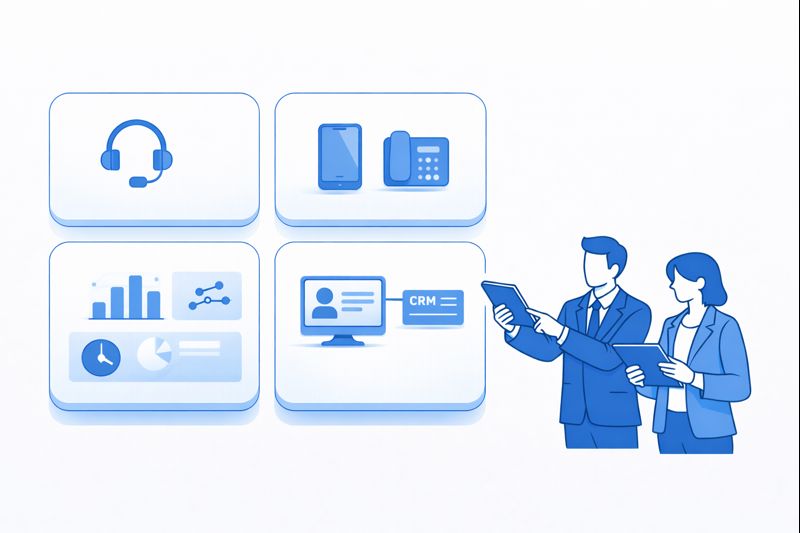
Most teams blame “the system” when calls go wrong, but in 2026 your weakest link is often the hardware between the agent and the cloud. A perfect global PBX setup can still sound terrible if agents are on random Bluetooth earbuds that fight with noise suppression, echo cancellation and CTI pop-ups. If you want clean recordings, reliable speech-to-text, accurate AI QA and stable screen sharing, you need a predictable device stack that you can actually support. This guide walks through 50 headset and device patterns that work with modern softphones, browsers and CRM-integrated dialers – so your analytics and AI see every word clearly.
1. Why Devices Still Decide Call Quality in 2026
Cloud telephony is mature. Uptime is solved by architectures that look a lot like modern zero-downtime designs. What is not solved is endpoint chaos. Mixed Bluetooth, on-ear gaming headsets and built-in laptop mics explode your background noise, echo, and gain levels – which then pollute AI transcripts, QA scores and sentiment models. When every AI feature depends on clean audio, “whatever headset agents own” is no longer an option.
A standardised device stack changes that. When everyone is on predictable USB or DECT headsets, you can tune WebRTC audio, softphone gain and noise suppression once, then reuse those settings across queues and sites. That is how you protect the value of AI agent-assist, live coaching and 100% coverage QA engines. The list below is not about brands for their own sake – it is about proven patterns that make your CRM, WFM and analytics trustworthy.
2. How to Judge “Good Enough” Hardware for a Modern Contact Center
Before you pick models, lock your evaluation criteria. At minimum, every headset or device in your stack should meet five tests: (1) works flawlessly with browser-based calling and softphones; (2) supports wideband audio; (3) plays nicely with CTI controls (mute, answer, hang up); (4) does not interfere with your integration-heavy toolchain; and (5) is realistic to deploy and replace at scale.
On top of that, look at ergonomics and policy: light enough for all-day wear, clear separation between “work” and “personal” audio, and replaceable parts so you are not throwing away full devices for worn cushions. Finally, treat device telemetry as part of your analytics picture. Many vendors now expose hook-state, battery and mic levels – which become powerful when you join them with handle time, wrap codes and the dashboards you already use in COO-level reporting.
3. 50 Devices & Headsets That Actually Work With CRM & Analytics Stacks
Use this table as a menu of patterns, not a shopping list you must copy line-by-line. The goal is to combine 2–4 “standard builds” that cover 90% of your use cases – then layer in a few specialised devices for supervisors, remote leaders and high-risk workflows where recording quality matters as much as what you see in your customer-loss prevention dashboards.
| # | Device / Category | Type | Best For | Integration & Analytics Notes |
|---|---|---|---|---|
| 1 | Wired USB stereo headset (baseline) | Over-the-head | High-volume voice queues | Stable choice for WebRTC dialers; maps reliably to CTI mute/answer in Salesforce, HubSpot and Zendesk. |
| 2 | Wired USB mono headset | On-ear mono | Supervisors monitoring floors | Lets leaders hear room noise and calls; simple for softphone clients to detect. |
| 3 | Noise-cancelling USB headset with boom mic | Over-ear | Noisy BPO floors | Improves STT accuracy for AI QA and coaching; ideal where real-time agent assist is deployed. |
| 4 | USB-C wired headset | On-ear | Modern laptops without USB-A | Avoids dongle failures; reduces disconnects that break recording streams. |
| 5 | In-line USB control headset | Corded with control pod | Agents who need physical buttons | Call control pod syncs with CTI; clean event logs for handle time and wrap tracking. |
| 6 | USB headset certified for Teams/Zoom | On-ear | Leaders living in meetings + calls | Minimises audio clashes between UC and CCaaS, key when running blended UCaaS/CCaaS stacks. |
| 7 | USB headset with replaceable cushions | Over-the-head | Large contact centers | Lowers total cost of ownership; predictable audio profile for analytics across device lifecycle. |
| 8 | USB headset with busy-light indicator | On-ear | Shared offices | Presence light integrates with softphone; reduces interruptions and dropped phrases in recordings. |
| 9 | DECT wireless headset with base | Over-ear | Supervisors walking floors | Long range without Wi-Fi interference; hook-state integrates with desk phones and softphones. |
| 10 | DECT convertible headset (headband/ear) | Convertible | Agents needing flexibility | Standardises firmware while giving comfort options; stable for PCI-sensitive recording scenarios. |
| 11 | Dual-connect (USB + 3.5mm) headset | Over-the-head | Hybrid on-prem / cloud sites | Bridges legacy PBX handsets and new WebRTC agents during phased migrations. |
| 12 | USB headset with integrated noise-cancelling AI | Over-ear | Very noisy environments | Hardware noise filtering improves accuracy for AI call analytics even before software processing. |
| 13 | USB headset with sidetone | On-ear | Agents who over-project | Sidetone lowers vocal strain; reduced shouting improves waveform clarity for QA engines. |
| 14 | Wired USB gaming-grade headset (curated) | Over-ear | Budget-sensitive small teams | Select only models tested with your WebRTC client; document approved SKUs to avoid random gear. |
| 15 | Bluetooth on-ear headset with USB dongle | Wireless | Home agents needing mobility | Use vendor dongle for stable pairing; avoid direct OS pairing which breaks CTI hooks. |
| 16 | Bluetooth over-ear ANC headset | Wireless | Leaders working between meetings and calls | Check compatibility with UC + CC; ensure call controls work in both before bulk orders. |
| 17 | Bluetooth neckband headset | In-ear | Field collections or on-site support | Pairs to mobile softphone; useful when using global VoIP apps on the move. |
| 18 | Single-ear Bluetooth headset with boom | Mono wireless | Supervisors handling escalations on mobile | Keep for exception use, not as frontline standard; verify battery telemetry in device manager. |
| 19 | Bluetooth headset with dual pairing | Over-ear | Leaders on laptop + phone | Ensure contact center softphone has priority; document pairing order to avoid missed calls. |
| 20 | USB speakerphone (small room) | Tabletop | QA calibration, huddles | Use only in meeting rooms; never for production agents where channel separation matters for AI QA. |
| 21 | Bluetooth/USB speakerphone (medium room) | Tabletop | Supervisors running coaching sessions | Connect via USB for recordings; Bluetooth adds latency that can desync with screen shares. |
| 22 | Video soundbar with beamforming mics | Conference bar | Leadership war rooms | Great for multi-party reviews; avoid for frontline talk-time where diarization needs isolated channels. |
| 23 | USB “hockey puck” mic | Desk mic | Trainers doing webinars | Use for non-production audio; not recommended for regulated voice interactions. |
| 24 | Integrated webcam + mic bar | Monitor-mounted | Video-heavy CX roles | Pair with wired headset; never rely solely on beamforming for sensitive calls. |
| 25 | 1080p webcam with hardware privacy shutter | Webcam | Remote agents on video | Improves customer trust; supports video diagnostics when troubleshooting remote call issues. |
| 26 | 4K webcam for premium accounts | Webcam | Enterprise / VIP service teams | Visual clarity helps in high-value journeys (KYC, device checks) but should not be frontline standard. |
| 27 | All-in-one USB-C dock with audio prioritisation | Dock | Agents with limited laptop ports | Prevents headset dropouts caused by cheap hubs; stabilises audio stream for analytics. |
| 28 | USB “busy light” presence indicator | Desktop indicator | Shared desks / hot desking | Integrates with softphone status; lowers interruptions and false “dead air” flags in QA. |
| 29 | Adjustable monitor arm | Ergonomic accessory | Agents in long shifts | Indirectly boosts quality: better posture sustains consistent mic placement and volume. |
| 30 | Ergonomic keyboard/mouse combo | Input | Heavy CRM users | Faster dispositioning lowers wrap time; more reliable capture of notes for VOIP + CRM workflows. |
| 31 | SIP desk phone with PoE | Desk phone | Sites mid-migration to cloud | Tie into SBC + CTI; mirrors patterns used in PBX migration programs. |
| 32 | SIP phone with sidecar (BLF keys) | Desk phone + module | Reception / switchboard | Ideal for high-volume transfer workflows; can still feed call data into cloud analytics. |
| 33 | SIP phone with built-in VPN | Desk phone | Remote power-users | Keeps signalling secure while still piping CDRs into the same billing and pricing models as cloud agents. |
| 34 | Desk phone with Bluetooth headset support | Desk phone | Leaders who prefer handsets | Track usage in CDRs; ensure recordings feed same storage used for softphone calls. |
| 35 | Wi-Fi enabled desk phone | Desk phone | Sites with limited cabling | Test aggressively; wireless jitter can undermine your reliability promises. |
| 36 | Android/iOS softphone app | Mobile app | Field sales and collections | Must log to CRM; restrict to approved devices/headsets for call-recording compliance. |
| 37 | Tablet-based softphone kiosk | Tablet | Branch / in-store CX | Attach wired headsets; treat as another CCaaS endpoint for routing and metric tracking. |
| 38 | Chromebook / thin client with locked image | Endpoint | Secured call floors | Great for browser-only stacks; combine with USB headsets for predictable audio. |
| 39 | Mini-PC for kiosk agents | Endpoint | Pop-up / seasonal sites | Keeps OS and device drivers standardised during rapid WFM scaling cycles. |
| 40 | Noise-blocking desk divider panels | Acoustic treatment | Densely packed floors | Reduces crosstalk; increases accuracy for voicebots and diarization. |
| 41 | USB foot pedal for call control | Peripheral | Claims / medical transcription | Integrates with playback tools; keep separate from production dialer to avoid misfires. |
| 42 | Hardware mute button (inline) | Peripheral | Noisy home environments | Clear physical feedback; reduces “forgot to unmute” dead air that corrupts QA scores. |
| 43 | External USB sound card | Audio interface | Older PCs with poor audio | Standardises input levels across mixed hardware fleets. |
| 44 | Hardware echo canceller / DSP box | Audio processor | High-echo rooms | Use sparingly; modern CCaaS echo cancellation usually suffices if headsets are standardised. |
| 45 | USB headset sharing switch | Peripheral | Job-share desks | Allows clean switch between endpoints without constant re-plugging and driver issues. |
| 46 | Labelled zip-bags for personal headsets | Storage | Hot-desking floors | Keeps cables and mics protected; reduces intermittent faults that hurt recording quality. |
| 47 | Lockable headset lockers | Storage | Shared contact centers | Protects hardware investment; supports strict device assignment for regulated work. |
| 48 | Spare headset pool (10–15%) | Inventory policy | Any serious operation | Avoids downtime when units fail; keeps WFM plans intact during sudden seat growth. |
| 49 | End-of-life disposal program | Process | All sites | Prevents old, low-quality devices from creeping back into production after upgrades. |
| 50 | Standard “gold build” kit per role | Policy | Enterprise / BPO operations | Bundles endpoint + headset + accessories; foundation for every serious WFM and staffing strategy. |
4. Match Devices to Your Cloud Stack, Not the Other Way Around
Once you know which patterns you like, line them up against your architecture. If you run full browser-based calling with WebRTC, favour wired USB or DECT with tested dongles. If you are mid-migration from on-prem PBX to cloud, choose dual-connect devices that work in both worlds, using the same mindset you apply in PBX migration blueprints. For heavy UCaaS + CCaaS shops, test how headsets behave when Teams/Zoom and your contact center client are both open.
Then build a simple matrix: per site and role, list the telephony client, primary CRM, expected channels (voice, video, chat), and approved devices. This makes it trivial to troubleshoot: when an agent complains about audio, you already know the exact combination of browser, softphone and headset you are debugging – not fifty random permutations. It also lets your procurement team buy at scale instead of firefighting broken units.
5. Rollout, Policy and Lifecycle: Keep the Stack Clean Over Time
Even the best headset list decays if you do not treat it like a living standard. Start with clear policies: which roles get which kits, how often cushions and cables are replaced, and what happens if someone plugs in unapproved gear. Document this alongside your telephony and migration standards. Give supervisors simple device checklists to run during onboarding: mic positioning, sidetone levels, test calls, sample recordings.
Next, layer lifecycle data into your reporting. Track failure rates, RMA counts and age of devices by site. If you see a spike in audio-related QA tags (echo, noise, low volume) from a specific model or batch, plan a targeted refresh instead of waiting for agents to complain. Tie refresh cycles to major platform changes – for example, when you roll out full-stack AI QA and coaching, ensure the sites in scope already meet minimum device standards so the models see clean signals from day one.






