

Most teams looking for the “best contact center software” in 2026 don’t actually want a shopping list of logos. They want a short, confident answer for their use case: What should my outbound sales team run on? What about support? What if I’m a BPO in the GCC with Arabic, English, and compliance pressure? This guide does exactly that. We’ll walk through a clear evaluation framework, a shortlist by use case, and the non-negotiable features that separate modern AI-ready platforms from legacy CCaaS that will slow you down.
1. How to Actually Evaluate “Best” Contact Center Software in 2026
The wrong question is “Which platform has the longest features page?” The right question is “Which stack is proven for my volume, region, and motion?” Start from your core motion (sales, support, BPO, or GCC regional hub) and map three layers: routing, channels, and data. For routing, your tool must support skills, queues, and intent-aware distribution so high-value contacts never sit behind low-value ones. For channels, decide if you truly need full omnichannel or if voice + two messaging channels covers 80% of value. For data, insist on clean call logging, dispositions, and integrations before you even look at AI add-ons.
From there, use hard constraints: regions you must serve, languages, compliance regimes, and any non-negotiable CRMs (Salesforce, HubSpot, Zendesk, etc.). Only then build a shortlist. That’s how you avoid buying a US-centric platform that struggles with GCC routing or a support-oriented stack that never quite fits outbound sales workflows, even if it looks great on paper.
2. Shortlist by Use Case: Sales, Support, BPO, GCC
Below is a practical matrix you can use to narrow platforms before demos. It’s not exhaustive, but it captures how high-performing teams cluster their choices by motion. Treat vendor names as archetypes: you are picking an architecture pattern, not just a logo.
3. Core Features Every “Best” Platform Must Have (Non-Negotiables)
Regardless of use case, the best contact center platforms share the same backbone. First, routing must go beyond “round robin” into skills, priorities, and load-balancing so you can implement the kind of high-ROI features that noticeably move AHT and FCR. Second, your system needs robust call logging and outcome tracking that write into CRM or data warehouses with minimal manual effort, otherwise your reports will always lag reality.
Third, the platform must ship with battle-tested integrations. A “best” tool that cannot cleanly connect to Salesforce, HubSpot, Zendesk, or your ticketing system will quietly increase handle time and wrap-up work. This is where integration catalogs ranked by ROI become critical reading, because the wrong integration order can stall your transformation. Finally, security and compliance cannot be add-ons. Look for clearly documented data flows, recording storage policies, and admin role design.
4. Best Stacks for Sales Teams: Dialer + CRM + Coaching
For sales, the “best” software is the one that lifts pipeline, not just dials faster. High-performing SDR/BDR orgs standardize on a dialer that supports predictive and progressive modes, paired with CRM CTI and real-time assist. The dialer controls pacing, connects agents only to live calls, and respects global consent frameworks described in modern dialer comparisons. The CRM surfaces context — previous interactions, open opportunities, ICP tags — in the same screen, so reps never alt-tab for information.
On top of this, AI coaching tools monitor conversations live and flag risk moments: pricing objections, competitor mentions, or compliance language. Combining dialer, CRM, and assist means your “best” platform is actually a best-fit stack. You might run ActiveCalls-style dialers, Salesforce, and an AI coach across the top reps first, then roll down. Your evaluation criteria should emphasize connect rate, meeting set rate, average handle time, and how much wrap-up is automated instead of manual.
5. Best Stacks for Support Teams: Omnichannel, QA, and Knowledge
Support leaders rarely struggle to find tools; they struggle to find tools that keep journeys coherent. The best contact center stacks for support start with an omnichannel core (voice, email, chat, messaging) that anchors tickets and contacts in one record, similar to the setups described in modern Zendesk integration guides. Every interaction should update a single customer timeline, so agents never ask people to repeat themselves.
Next, layer QA and analytics that move beyond random sampling. AI-backed solutions can score 100% of conversations and surface patterns, just as in 2026 QA automation designs. Pair that with a knowledge layer (internal articles, workflows, macros) and real-time search, and suddenly your “best” platform is the one that shortens agent ramp-up time and keeps resolution quality consistent. Remember: in support, customer-facing SLA metrics and internal QA scores are more important than “number of channels” on a brochure.
6. BPO and GCC Buyers: Multi-Tenant, Arabic, and Compliance-Ready
BPO and GCC contact centers live in harder mode: multiple clients, languages, and regulators, plus margin pressure. The top platforms for this segment combine strong multi-tenant separation, configurable analytics, and Arabic-capable IVR and routing. Architecturally, they look a lot like cloud PBX solutions with Arabic IVR and toll-free routing, but with additional WFM and QA layers. You need to be able to define queues, scorecards, and dashboards per client without spinning up separate instances for each one.
Compliance is the second pillar. GCC buyers supporting finance or healthcare clients must align consent flows and recording policies with global and regional rules — PCI for card data, GDPR-like privacy expectations, and local telecom obligations. Look for vendors who already document how they support those flows, not those who say “you can configure it yourself.” This is where shorter migration blueprints such as 2025 PBX migration guides are helpful, because they show how the vendor behaves under real-world constraints.
7. AI: Coaching, Analytics, and 100% QA Coverage
By 2026, AI is no longer a nice-to-have; it’s woven into how the best contact centers operate. You’re looking for three things. First, real-time agent assist and coaching that helps agents live, rather than sending feedback days later, like the AI engines described in real-time coaching setups. Second, post-call analytics that auto-tag topics, detect sentiment, and push data into your BI or CRM without manual rework.
Third, AI-backed QA that makes 100% coverage normal. Instead of random sampling 2–5 calls per agent per month, modern stacks score every interaction, flag outliers, and give human QA teams a triage list. This is the evolution mapped out in AI quality monitoring blueprints. When evaluating “best” vendors, don’t just ask if they “have AI.” Ask whether it genuinely shortens handle time, reduces rework, or improves conversion — and how you can measure it from day one.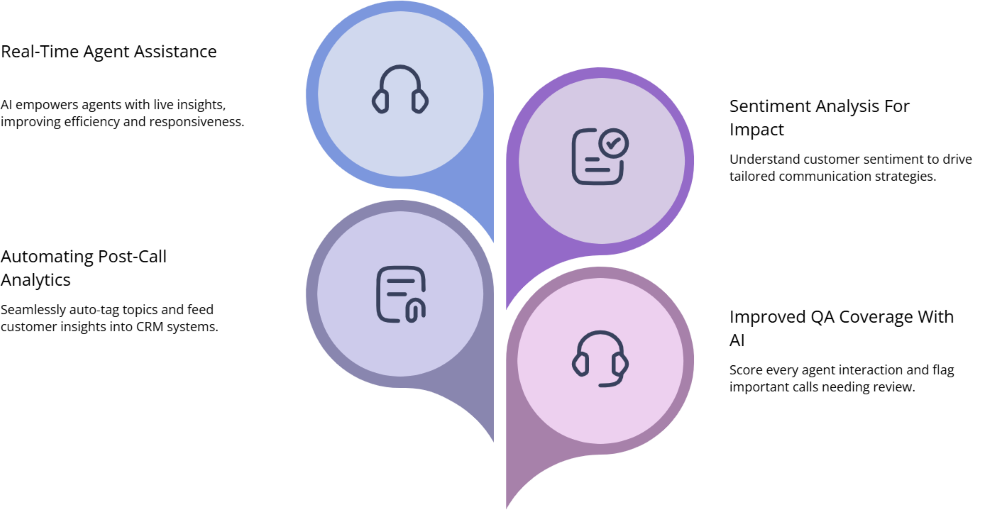
8. Integration Depth: Salesforce, HubSpot, Zendesk & Beyond
Integrations decide whether your stack feels like one product or five. For Salesforce-centric teams, you want CTI that respects your data model, loads screens fast, and supports the kind of call outcomes and dispositions patterns covered in Salesforce CTI comparison guides. Screen-pop latency, click-to-call behavior, and logging reliability matter more than whether the vendor has one more AI badge.
HubSpot teams should lean into routing and coaching playbooks like those outlined in HubSpot integration playbooks, making sure deals, tickets, and calls all feed the same attribution view. Zendesk-based support orgs need voice integrations that respect ticket lifecycles, SLAs, and omnichannel metrics, not a bolted-on softphone. Catalogs such as high-value integration lists and larger 150-integration round-ups show you which combinations have already paid off for other teams.






