

Every CIO has a legacy phone system story: the PBX that’s “too fragile to touch,” the branch office where no one remembers who owns the numbers, the contact center stack nobody wants to document. In 2025-2026, that isn’t just technical debt — it’s a board-level risk. Outages hit NPS, manual call flows slow revenue teams, and on-prem voice blocks every AI and automation initiative you’re trying to ship. This survival guide is about turning that risk into a controlled, board-approved migration: mapping what you actually own, designing a future-ready voice fabric, and crossing the gap without betting the company on a single cutover weekend.
1. Why Legacy Phone Systems Became a CIO Problem (Not Just a Telecom Problem)
Legacy voice used to be “that box in the wiring closet” — a capital expense IT amortized and forgot. In 2025, the same system now blocks cloud contact center rollouts, AI coaching, and global expansion. Every outage turns into screenshots, social media complaints, and questions from the CEO. That’s why modern PBX transformations are framed as strategic programs, not ticket queues, in the kind of work you’d see in serious PBX migration roadmaps.
Risk also shifted. Old PBXs struggle with remote work, compliance, call recording retention, and integration into CRM or ticketing systems. When finance wants real attribution on phone-driven revenue, your current stack can’t deliver. When operations ask for “zero-downtime coverage across every office,” the single-site PBX architecture shows its age. CIOs that treat this as strategic infrastructure — like identity, data, or cloud — are the ones who get budget, buy-in, and clean execution.
2. Inventory First: Map the Real Legacy Estate (Not Just the Main PBX)
Your survival as CIO depends on knowing exactly what you’re migrating. Most organizations underestimate this step and pay for it later in lost numbers, broken IVRs, and shadow systems. Start with a ruthless inventory: main PBX, branch systems, analog devices, SIP trunks, numbers, call flows, voicemail trees, integrations, and “mystery phones” (doors, lifts, lobbies, warehouses). This is the same mentality that underpins cost-cutting PBX redesigns: if it’s not on the map, you can’t protect it during migration.
Turn that inventory into a structured migration workbook. For each asset, capture owner, business dependency, risk level, and migration path (replace, retire, consolidate, or keep). Include parallel views for customer impact and regulatory impact so compliance and CX teams can help prioritize. This is your single source of truth when vendors, branch managers, and executives all ask, “What exactly are we changing?”
Once this matrix exists, you can scope vendors and platforms with confidence. You’ll also see quick wins: retiring unused lines, shutting down “mystery” gateways, and simplifying dial plans before you even move to the cloud. That’s how some teams unlock early savings similar to the ones showcased in multi-office VoIP transition stories.
3. Your Target State: From On-Prem Boxes to a Cloud Voice Fabric
The survival move for 2025 CIOs isn’t just “put PBX in the cloud.” It’s designing a voice fabric that spans offices, remote staff, and contact centers. Think in layers: carrier and SIP connectivity at the bottom, cloud PBX and routing in the middle, and contact center plus AI on top. This is the same pattern powering modern global phone system architectures, where adding a new country or business unit is configuration, not a new hardware project.
Decide where you need full contact center capabilities on day one versus later. For revenue or support teams, you may move straight to a cloud contact center platform that handles skills-based routing, omnichannel, and live analytics, similar to how customer-obsessed organizations design their stacks. For back-office voice, a simpler cloud PBX may be enough initially. The key is to avoid a single monolith that forces everyone into the same feature set.
Then design for geography. If you operate across North America, Europe, and APAC, adopt the thinking you see in multi-country VoIP deployments: region-aware routing, local breakouts for emergency calling, and data residency aligned with regulation. Architect now for what your M&A and expansion strategy will demand in three years, not just the sites you have today.
4. Cost, Risk, and Stakeholder Management: The CIO Playbook
Legacy phone migration only works when finance, security, operations, and business line leaders see themselves in the plan. For finance, frame migration in terms of long-term cost curves: capex to opex, hardware to subscriptions, outages to predictable uptime, mirroring the before/after models used in reliability-first voice upgrades. For security and compliance, highlight better encryption, access control, and recording governance.
At the same time, treat risk as a first-class citizen. Map worst-case scenarios: broken emergency calling, unreachable sales lines, lost recordings. For each, build mitigation: dual-running systems, staggered cutovers, test plans, and rollback paths. Borrow ideas from zero-downtime contact center deployments, where every change has a documented safety net. This is what reassures your board that the migration is controlled, not experimental.
5. Execution Roadmap: 90–180 Day Survival Plan
Once you have inventory and target architecture, you need a survival-grade roadmap. The most effective CIOs structure it like other large transformations: phases, gates, and measurable outcomes. Many borrow the phased cutover concepts that power high-availability voice architectures, using controlled traffic shifts instead of “big bang” moves.
Phase 1: Design and prototype (Weeks 1–6). Finalize vendors, sign master agreements, and stand up a pilot environment. Run a limited group — an internal support desk or sales pod — entirely on the new stack. Validate audio quality, feature parity, and integrations with CRM and helpdesk, following best practices you’d see around integration-heavy contact center designs.
Phase 2: Dual running and segmented cutovers (Weeks 6–16). Run legacy and new systems side by side. Move sites or business units one at a time, starting with low-risk locations. Keep critical numbers dual-homed or forwarded until you’re confident. Make sure every cutover has monitoring, a staffed “war room,” and a documented rollback plan.
Phase 3: Decommissioning and optimization (Weeks 16–26). When traffic is stable, shut down old trunks, cancel maintenance contracts, and remove hardware. This is also when you introduce richer features: advanced routing, AI-assisted coaching, and automation. Take inspiration from SIP-to-AI modernization paths to decide which capabilities to prioritize in year one versus later.
6. AI, Analytics, and Compliance: Turning Migration into an Upgrade, Not a Swap
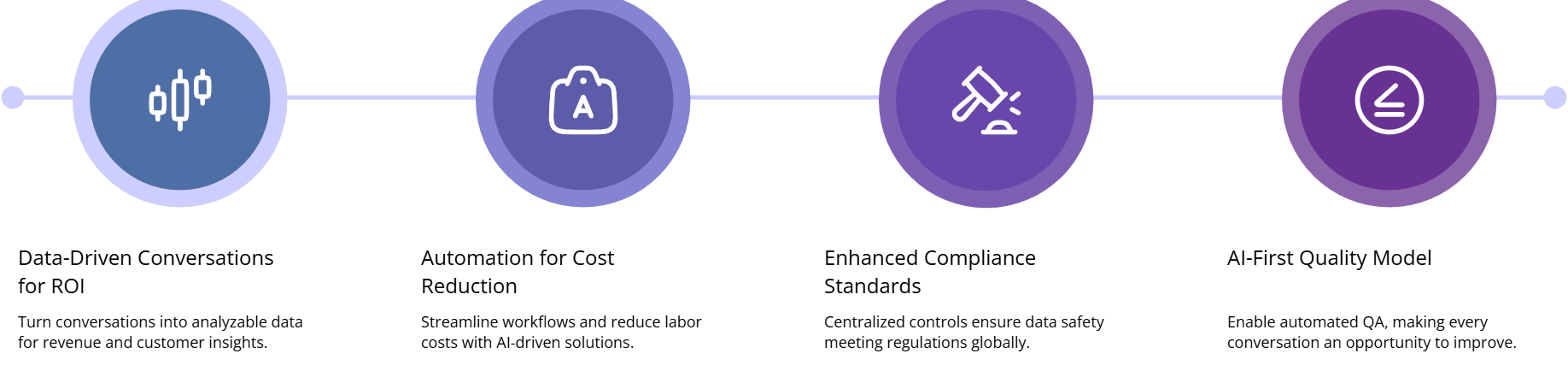
A survival-minded CIO knows: if voice migration ends with “it’s the same, just hosted,” you’ve wasted political capital. The real ROI comes from analytics and automation. Modern platforms let you treat every conversation as data — tagged by intent, sentiment, outcome, and effort — much like the scenarios in industry-specific contact center use cases. Feed that into your data warehouse so revenue, CX, and risk teams can finally analyze calls alongside product and billing.
Compliance also improves when done correctly. Centralized recording, role-based access, encryption, and automated retention policies are hard to implement on a patchwork of legacy PBXs. They’re standard in the kinds of data-safe voice environments regulators already understand. Use the migration to standardize retention schedules, data residency, and legal holds across regions, not treat each office as an exception.
AI is the multiplier. Real-time assist can support agents with prompts, next steps, and suggested actions, echoing the capabilities described in modern AI coaching stacks. Automated QA and summarization shrink manual labor, making it realistic to review every call instead of a tiny sample, as seen in AI-first quality frameworks. Finally, labor cost structures improve when workflows get leaner — the same direction highlighted in AI-driven cost reduction programs.
7. Legacy Phone System Migration: CIO FAQ (Accordion)
Legacy phone systems were never designed for global remote teams, omnichannel CX, or AI. As CIO, you can either keep negotiating maintenance renewals or use 2025 as your turning point: map the estate, design a future-ready architecture, and migrate with the same rigor you bring to cloud or data programs. Done right, this isn’t a risky gamble — it’s one of the cleanest ways to reduce operational fragility and unlock new capabilities everywhere your business speaks to customers.






